US5530455A - Roller mouse for implementing scrolling in windows applications - Google Patents
Roller mouse for implementing scrolling in windows applications Download PDFInfo
- Publication number
- US5530455A US5530455A US08/288,945 US28894594A US5530455A US 5530455 A US5530455 A US 5530455A US 28894594 A US28894594 A US 28894594A US 5530455 A US5530455 A US 5530455A
- Authority
- US
- United States
- Prior art keywords
- scrolling
- roller
- mouse
- scroll
- signals
- Prior art date
- Legal status (The legal status is an assumption and is not a legal conclusion. Google has not performed a legal analysis and makes no representation as to the accuracy of the status listed.)
- Expired - Lifetime
Links
- 239000000872 buffer Substances 0.000 claims abstract description 11
- 230000006870 function Effects 0.000 claims description 20
- 238000003825 pressing Methods 0.000 claims description 9
- 230000004044 response Effects 0.000 claims description 6
- 230000001419 dependent effect Effects 0.000 claims description 2
- 239000002131 composite material Substances 0.000 claims 1
- 125000004122 cyclic group Chemical group 0.000 claims 1
- 238000004590 computer program Methods 0.000 abstract description 3
- 241000699666 Mus <mouse, genus> Species 0.000 description 48
- 230000009471 action Effects 0.000 description 11
- 238000000034 method Methods 0.000 description 6
- 230000003287 optical effect Effects 0.000 description 6
- 230000002441 reversible effect Effects 0.000 description 6
- 230000000694 effects Effects 0.000 description 5
- 238000004146 energy storage Methods 0.000 description 4
- 230000008859 change Effects 0.000 description 3
- 230000000994 depressogenic effect Effects 0.000 description 3
- 238000001514 detection method Methods 0.000 description 3
- 239000003607 modifier Substances 0.000 description 3
- 238000005096 rolling process Methods 0.000 description 3
- 241000699670 Mus sp. Species 0.000 description 2
- 238000011960 computer-aided design Methods 0.000 description 2
- 235000020061 kirsch Nutrition 0.000 description 2
- 238000013519 translation Methods 0.000 description 2
- 230000003190 augmentative effect Effects 0.000 description 1
- 238000006243 chemical reaction Methods 0.000 description 1
- 235000019504 cigarettes Nutrition 0.000 description 1
- 238000010276 construction Methods 0.000 description 1
- 239000013078 crystal Substances 0.000 description 1
- 230000001186 cumulative effect Effects 0.000 description 1
- 238000010586 diagram Methods 0.000 description 1
- 230000009977 dual effect Effects 0.000 description 1
- NJPPVKZQTLUDBO-UHFFFAOYSA-N novaluron Chemical compound C1=C(Cl)C(OC(F)(F)C(OC(F)(F)F)F)=CC=C1NC(=O)NC(=O)C1=C(F)C=CC=C1F NJPPVKZQTLUDBO-UHFFFAOYSA-N 0.000 description 1
- 238000010422 painting Methods 0.000 description 1
- 238000005381 potential energy Methods 0.000 description 1
- 230000008569 process Effects 0.000 description 1
- 230000003252 repetitive effect Effects 0.000 description 1
- 230000000284 resting effect Effects 0.000 description 1
- 239000012536 storage buffer Substances 0.000 description 1
- 230000001502 supplementing effect Effects 0.000 description 1
- 239000000725 suspension Substances 0.000 description 1
- 230000002123 temporal effect Effects 0.000 description 1
- 238000012360 testing method Methods 0.000 description 1
- 238000012546 transfer Methods 0.000 description 1
Images



Classifications
-
- G—PHYSICS
- G06—COMPUTING; CALCULATING OR COUNTING
- G06F—ELECTRIC DIGITAL DATA PROCESSING
- G06F3/00—Input arrangements for transferring data to be processed into a form capable of being handled by the computer; Output arrangements for transferring data from processing unit to output unit, e.g. interface arrangements
- G06F3/01—Input arrangements or combined input and output arrangements for interaction between user and computer
- G06F3/03—Arrangements for converting the position or the displacement of a member into a coded form
- G06F3/033—Pointing devices displaced or positioned by the user, e.g. mice, trackballs, pens or joysticks; Accessories therefor
- G06F3/038—Control and interface arrangements therefor, e.g. drivers or device-embedded control circuitry
-
- G—PHYSICS
- G06—COMPUTING; CALCULATING OR COUNTING
- G06F—ELECTRIC DIGITAL DATA PROCESSING
- G06F3/00—Input arrangements for transferring data to be processed into a form capable of being handled by the computer; Output arrangements for transferring data from processing unit to output unit, e.g. interface arrangements
- G06F3/01—Input arrangements or combined input and output arrangements for interaction between user and computer
- G06F3/03—Arrangements for converting the position or the displacement of a member into a coded form
- G06F3/0304—Detection arrangements using opto-electronic means
- G06F3/0312—Detection arrangements using opto-electronic means for tracking the rotation of a spherical or circular member, e.g. optical rotary encoders used in mice or trackballs using a tracking ball or in mouse scroll wheels
-
- G—PHYSICS
- G06—COMPUTING; CALCULATING OR COUNTING
- G06F—ELECTRIC DIGITAL DATA PROCESSING
- G06F3/00—Input arrangements for transferring data to be processed into a form capable of being handled by the computer; Output arrangements for transferring data from processing unit to output unit, e.g. interface arrangements
- G06F3/01—Input arrangements or combined input and output arrangements for interaction between user and computer
- G06F3/03—Arrangements for converting the position or the displacement of a member into a coded form
- G06F3/033—Pointing devices displaced or positioned by the user, e.g. mice, trackballs, pens or joysticks; Accessories therefor
- G06F3/0354—Pointing devices displaced or positioned by the user, e.g. mice, trackballs, pens or joysticks; Accessories therefor with detection of 2D relative movements between the device, or an operating part thereof, and a plane or surface, e.g. 2D mice, trackballs, pens or pucks
- G06F3/03543—Mice or pucks
-
- G—PHYSICS
- G06—COMPUTING; CALCULATING OR COUNTING
- G06F—ELECTRIC DIGITAL DATA PROCESSING
- G06F3/00—Input arrangements for transferring data to be processed into a form capable of being handled by the computer; Output arrangements for transferring data from processing unit to output unit, e.g. interface arrangements
- G06F3/01—Input arrangements or combined input and output arrangements for interaction between user and computer
- G06F3/048—Interaction techniques based on graphical user interfaces [GUI]
- G06F3/0484—Interaction techniques based on graphical user interfaces [GUI] for the control of specific functions or operations, e.g. selecting or manipulating an object, an image or a displayed text element, setting a parameter value or selecting a range
- G06F3/0485—Scrolling or panning
-
- G—PHYSICS
- G06—COMPUTING; CALCULATING OR COUNTING
- G06F—ELECTRIC DIGITAL DATA PROCESSING
- G06F2203/00—Indexing scheme relating to G06F3/00 - G06F3/048
- G06F2203/033—Indexing scheme relating to G06F3/033
- G06F2203/0333—Ergonomic shaped mouse for one hand
Definitions
- the invention relates to computer pointing devices, such as mice and trackballs, for scrolling applications in Windows, or the like.
- a mouse is a control device, used with a computer and monitor, in which one or more transducers in a movable, hand-held device convert translational motion into a position signal, most frequently used for controlling a cursor. Other signals may be generated by finger actuated buttons on the device. Movement of the device is converted to movement of the cursor. Motion is sensed in x and y directions, and sometimes rotation in the x-y plane known as yaw motion is also sensed, as the housing moves over a surface known as a pad. Analogous motion of the cursor in x and y directions takes place as the mouse delivers its position signals to an associated computer. Rotational motion is useful in applications software, such as drawing or computer aided design (CAD) programs.
- CAD computer aided design
- a trackball is another cursor control device.
- a trackball converts rotational motion of a ball into x,y quadrature signals, compatible with the x,y signals produced by a mouse.
- the ball is suspended in a fixed position, as shown in U.S. Pat. No. 4,933,670.
- the latter patent recognizes that more than three degrees of freedom or dimensions may be desirable in a trackball and incorporates control buttons, annular rings about the ball, and a partial keyboard for additional commands.
- An object of the invention is to improve performance of Windows and similar operating systems and programs by simplifying and accelerating subfunctions performed by mice, in particular the scrolling function.
- the above object has been met by supplementing windows or Windows operating system software to operate under the control of a mouse with a roller which implements scrolling.
- the turning of the roller in conjunction with driver software, generates scroll signals to Windows which mimics the action of the user clicking in the scroll controls, but without requiring the cursor to be moved to the scroll controls.
- a particular novel aspect of the invention is conversion of the turning motion of the roller into signals which represent scrolling momentum so that scrolling may continue even after the roller stops turning.
- the roller is mounted on a mouse housing so that a user can manipulate the roller while also able to actuate buttons on the mouse and control mouse movement.
- the roller is supported within a mouse housing with the roller projecting through the housing. Turning of the roller by a human finger indicates the extent of scrolling. Rotation of the roller is read by a shaft angle encoder which converts rotational motion of the roller into a number of pulse counts, indicating motion along the z-axis.
- a trackball has two degrees of freedom in addition to those provided by the mouse.
- a windows program is augmented with a driver for scrolling each time the roller is moved.
- This driver is placed in parallel with the mouse controlled subfunctions, which are not modified.
- the driver generates messages to implement the same subfunctions normally called in other ways, such as pointing to a scroll bar with a mouse.
- the driver provides for conventional up and down scrolling and can also provide for left and right scrolling with an additional signal, such as depression of a shift key.
- Other keys may be used in combination with the roller for high speed scrolling or for stopping of scrolling, or for scrolling in an automatic mode.
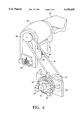
- FIG. 1 is a perspective view of the mouse for implementing a scrolling function in accord with the present invention.
- FIG. 2 is a view of screens where scrolling is implemented in Windows in accord with the prior art.
- FIGS. 3 and 4 show screens where scrolling is implemented in Windows using a roller mouse in accord with the present invention.
- FIG. 5 is a detail showing construction of a roller in the mouse illustrated in FIG. 1.
- FIG. 6 is a detail showing a roller motion detector and suspension in the mouse of FIG. 1.
- FIG. 7 is a flow diagram for implementing Windows subfunctions in accord with the present invention.
- a computer mouse 10 is shown having three buttons 18, 20 and 22 and a roller 24.
- this type of mouse is a mechanical mouse with respect to position sensing, an optical mouse which employs a pad surface with a pattern of grid lines could also be used.
- the size of the mouse device is comparable to a cigarette pack and so the control buttons 18, 20 and 22 would be within finger reach of the roller 24 without much movement of the position of the palm of the hand on the rear portion 26 of the mouse housing.
- the roller generates a motion signal which activates scrolling in Windows or windows applications.
- "Windows" is a non-registered trademark of Microsoft Corporation for an operating system which implements certain functions with a mouse.
- Microsoft's Windows refers to version 3.1 and newer versions, including the recently announced Chicago version.
- Applications running under Windows employ mouse implemented subfunctions, such as scrolling, using a mouse to point to scroll bars or buttons. This is part of the current standard Microsoft protocol for Windows applications.
- scrolling is shown to be implemented in the prior art.
- screen A a user is attempting to center the pie chart 28 in the window by pointing and clicking on the scroll bar at position 27 with a mouse.
- screen B the user realizes that the pie chart is still too low and attempts to raise the pie chart by pointing and clicking at position 27 on the scroll bar.
- the pie chart rises and is heading for an overshoot, seen in screen C.
- the user drags the movable scroll control upward at point 27 on the scroll bar to pull pie chart 28 down slightly and then makes a slight downward adjustment as seen in screen D where the pie chart is finally centered in the screen.
- FIG. 3 shows roller 24 which is turned in the direction of arrow G to make downward adjustments of the pie chart 28 in screen E.
- the vertical position of the pie chart may be precisely adjusted using a single motion of the roller in either direction.
- FIG. 4 shows lateral adjustment of pie chart 28 in screen F, implemented by roller 24 plus shift key 32. In other words, shift key 26 is depressed at the time roller 24 is moved to implement lateral scrolling. Motion of the roller 24 by itself implements vertical scrolling.
- the roller 24 is supported by an axial shaft 36 to a frame 30.
- the frame rests on small helical springs 29 which are held in place by a pedestal 31 which may be a part of the bottom surface of the mouse housing. Springs 29 allow the roller 24 to be depressed together with the support frame 30.
- a crossbar 33 which is permanently fixed in position on the frame contacts the actuator button 35 of a microswitch 37 which produces an electrical signal when the roller and its frame are depressed.
- a pulley 39 rotates with the shaft 36 for supplying rotational information to a belt which is attached to pulley 39. This can be seen in FIG. 6.
- Rotation of pulley 39 turns belt 41 which in turn rotates the optical encoder disk 45 which is read by the optical detectors 47 which, in turn, read a light beam transmitted by the transmitters 49.
- Shaft angle encoders for reading rotation of a wheel, such as roller 24, are well known.
- a mouse 10 is seen to generate data packets 51 which are typically eight bytes.
- the packet 51 is divided into two subpackets 53 and 55.
- a three-byte portion 53 consists of information relating to x movement, y movement and button status of three mouse buttons 18, 20 and 22 in FIG. 1.
- the second data portion 55 consists of five bytes representing pure motion of the roller 24 as Z movement, pitch movement indicated by roller motion while the side button 25 is pressed, roll movement indicated by roller motion while another button is pressed, plus yaw movement which may be generated by rotating the mouse housing in the x-y plane.
- one byte contains the state of the side button 25, and the roller switch 37, seen in FIG. 6.
- the eight-byte data packet enters the mouse driver software 57 which interprets the data and splits the two portions.
- the portion 53 is interpreted in the usual way as x-y mouse position and button information, represented by block 61.
- This information is sent to the queue 75 which is processed by the main Windows kernel 76 in the usual way.
- Mouse messages are processed by the kernel to establish the current position of the cursor. The location of the cursor determines a specific action Windows will take with reference to applications programs 77, running under Windows. These programs are indicated as program A 81, program B 83 and program C 85.
- the data portion 55 containing roller and side button information is sent to an event decoder 63 which is in the nature of a software control panel.
- the event decoder interprets roller and button motion and is linked to a timer 65 which receives timing signals from a crystal oscillator associated with the computer system to which the mouse is connected.
- a counter 67 which functions as an energy storage tank in combination with the timer 65. If counter 67 counts a large number of pulses from the roller's shaft angle encoder over a short period of time, the count is stored in a buffer within the decoder.
- the buffer is analogous to an energy storage tank where the supply of pulses stored is analogous to the fill level of the tank and the level is potential energy.
- Decoder 63 is connected to a message generator 69 which is a memory device producing messages recognized by Windows in response to decoded events.
- the rate at which messages are generated depends upon counts received from the event decoder 63. A rapid count rate translates proportionately to a rapid message generation or rate. However, counts can be accumulated faster than messages can be generated, so that there is an excess amount of counts which become messages after quick, extensive roller motion ceases.
- a certain number of roller counts may be interpreted as Windows LINESCROLL messages. If a large number of counts accumulate, above a certain threshold, PAGESCROLL messages may be sent because Windows cannot scroll sufficiently fast above a certain rate of linescrolls.
- the energy level previously mentioned determines which type of message is generated and the control panel software is configured with this information, for example in a configuration file.
- a "power" scrolling function is implemented using the roller 24 in combination with roller button 25. Power scrolling occurs with ordinary counts from the shaft angle encoder, without the necessity of accumulating counts in the manner described previously. Even after the roller stops rolling, scrolling continues at a constant rate until a terminating event occurs. However, if the roller is reversed from its original direction, counts are removed from the buffer proportionally to the degree of roller rotation. This causes the scrolling to slow down because counts are being removed from the buffer. If the user terminates the power scroll mode by clicking a button or by any designated means, then the stored count is zeroed. This halts all SCROLL messages immediately. Scrolling is halted at any time by reversing the roller back to its starting position or by clicking a button or any designated means. Just as in the previously described power scroll mode, the counts in the buffer are zeroed and SCROLL messages are halted.
- the speed of scrolling and the amount of scrolling are determined by two factors.
- One factor is the velocity of turning of the roller on the mouse and the second is a setting which may be employed in the event decoder 63.
- This causes the timer 65 to generate WM -- VSCROLL messages at a set rate.
- Horizontal messages for scrolling WM -- HSCROLL, as well as other scroll messages are generated in the same way.
- the roller is used for another feature related to program switching.
- the roller is depicted on the screen and appears to rotate from one open application to another.
- the control panel software causes appropriate windows programs to be shown on an image of a roller, supplied as an icon. For example, the sequence Show Window (B), Show Window (C) will first cause program B to appear on the roller, then program C. Switching of the programs or program rotation is enabled when the roller is rotated while the ALT key is held down or while the side button is held down.
- Standard Windows functions may be controlled which are assignable to individual keys or buttons, such as Minimize Window and Next Window which are normally invoked by a menu command or keyboard command.
- a dedicated mouse function may generate a message which is posted to the queue in the manner described previously.
- Functions such as Page Scroll Up and Page Scroll Down may use the middle and right mouse buttons.
- WM -- VSCROLL messages are respectively placed directly into the queue 75 without requiring any input from the timer 65 for this function.
- the present invention implements automatic or momentum scrolling so that continuous stroking of the roller to create continuous motion is not needed.
- a short stroke of the roller will generate a short, quick Windows scroll, as previously described.
- One discrete stroke of the roller will generate a consecutive stream of driver packets that contain roller counts in accord with the following algorithm. If (time -- since -- lastScrollEvent>endScroll -- timeout) AND (TotalOf(consecutive new -- rollerCount packets)>scroll Start -- threshold), then the TotalOf value causes an immediate scroll event, the amount of which is adjusted by the Roller Speed setting; there is no momentum scrolling at this point. The (time -- since -- lastScrollEvent>endScroll -- timeout) test ensures that roller Scrolling is not currently in progress.
- roller strokes in quick succession cause momentum scrolling to occur.
- the first stroke values begin taking effect immediately as above, but the second and later strokes cause roller counts to be directed to the "energy storage tank" store.
- decay time and new roller strokes become the determining factor affecting duration and speed of scrolling as described below. If (time -- since -- lastRollerPacket ⁇ firstStroke -- timeout) AND (roller -- velocity>minimumRollerSpeed -- threshold), then TotalOf(consecutive new -- rollerCount packets) are added to the energy storage buffer. Roller velocity is determined by the number of counts accumulated per unit time. A minimum input threshold is set in order to filter out effects of the user resting his finger on the roller and occasionally generating counts.
- a summary of cumulative roller events is as follows: One roller stroke initiates one burst of scroll events, no momentum. Two or more strokes in quick succession initiate momentum scrolling, termed SmartScrolling. LineScrolling accelerates into PageScrolling and PageScrolling decelerates into LineScrolling, automatically. Short roller reversal halts all momentum.
- Momentum scrolling is very easily invoked and it is even more easily halted. This prevents the scrolling events from getting out of control. Of course, even without direct action, momentum scrolling will decelerate and halt by itself. Listed below are the specific events or event categories that stop momentum scrolling action and return control to the user.
- the recommended method to stop momentum scrolling action is to slightly reverse the direction of the roller. Scrolling will stop on the first stroke. If the user continues to stroke the roller in this reverse direction, then momentum scrolling begins in this reverse direction. The user may also halt momentum scrolling with a reverse stroke, then begin stroking in the original direction.
- the algorithm is as follows: If (TotalOf(new -- rollerCount packets)>reversed Roller -- threshold) AND (SmartScroll is in progress), then delete new -- rollerCounts, zero the energy store, and delete any pending scroll events. Also, reset all dynamic parameters to a clean stop.
- PowerScroll Clicking the roller button engages the automatic, roller-controlled, speed-scrolling of documents, known as PowerScroll. It is similar to momentum scrolling but its scrolling is deliberately enabled. Also, momentum scrolling eventually comes to a stop and needs occasional roller strokes to keep going because of built-in "deceleration” whereas PowerScroll can scroll through an entire document without touching the roller again. PowerScroll overrides the current Roller Setting. While PowerScroll "mode" is active, the cursor shape changes to a PowerScroller cursor. This has the shape of a roller with two opposite pointing arrows. This cursor may be slightly different from the Smart Scrollbars cursor. PowerScroll is implemented as follows.
- PowerScroll treats rotation of the roller differently from momentum scrolling.
- the roller acts as a variable speed scroll control that determines scroll speed by the amount of roller counts accumulated since the PowerScroll trigger was given.
- PowerScroll adds new roller counts algebraically. To slow down the scrolling, one begins reversing the roller until the scroll speed is satisfactory.
- PowerScroll is similar to momentum scrolling in the methods to halt its scrolling action. The major difference is that PowerScroll does not decelerate to a halt itself--only the user can halt it. Listed below are the specific events or event categories that stop PowerScrolling action and return control to the user.
- the recommended method to stop PowerScroll is to click again on the PowerScroll trigger button. PowerScroll will halt on the release of the button.
- Another method is to reverse the roller back to approximately its original rotation point since clicking the trigger button.
- the scrolling should have halted--the minimum scrolling speed is approximately 1 line per second. As long as PowerScroll has not generated a single line scroll events in over 1 second, it is no longer in PowerScroll mode.
- Smart Scrollbars Another form of scrolling control is termed Smart Scrollbars. This is a context-sensitive method, i.e. dependent on need determined or specified by an applications program, to invoke momentum scrolling when the cursor enters any part of the scroll bar regions. This allows a different scroll signal such as PageScroll to be assigned to the roller as the default roller function then be able to override this default by moving the cursor to a scroll bar.
- a different scroll signal such as PageScroll to be assigned to the roller as the default roller function then be able to override this default by moving the cursor to a scroll bar.
- the cursor When the cursor enters an application's scroll bar regions, it automatically enables momentum scrolling mode.
- the cursor changes to the Scroller cursor and all the momentum scrolling behavior described above is in effect as long as the cursor remains in the scroll region.
- the cursor moves outside the scroll region, it reverts to its current application cursor and the document stops scrolling. If the application is already set for momentum scrolling, then scrolling is not affected and just the cursor reverts to the application cursor.
- ScrollbarExit -- timeDelay after which the cursor and scroll axis revert to its defaults. This gives the user some temporal tolerance to remain inside the scrollbars. Note: if the Shift key is down, it still modifies SmartScroll's default axis of operation; and any Horizontal Scaling effect is active as is normal for SmartScroll.
- the cursor when the cursor enters the scroll bar region, it enables momentum scrolling. This works for most window scroll bars--horizontal, vertical, and multiple-pane windows like split screens.
- the Smart ScrollBar (SSB) detection logic works on most standard scroll bar control--volume controls, speed settings, contrast/brightness, etc.
- Smart Scrollbars On) AND (SmartScrolling is in progress)
- SmartScroll acts like PowerScroll just like pressing Control during Normal SmartScroll.
- pressing the Shift key down shall have no effect on the scroll axis since the cursor in the scroll bar determines axis.
- Releasing the Control key returns to the decelerating, momentum scrolling algorithm.
- moving the cursor out of the scroll bar region for longer than Scrollbar -- Exit -- timeDelay causes the roller to return to its previous function such as Up/Down keys without transferring any momentum. This prevents any part of the document from changing if the user accidentally exits the scroll region.
Abstract
Description
__________________________________________________________________________
  Vertical Scrolling Down:
HWND   hWnd = ::GetFocus ( );
::PostMessage (hWnd , WM.sub.-- VSCROLL, SB.sub.-- LINEDOWN, lParam);
::PostMessage (hWnd , WM.sub.-- VSCROLL, SB.sub.-- ENDSCROLL, lParam);
  Horizontal Scrolling Right:
HWND   hWnd = ::GetFocus ( );
::PostMessage (hWnd , WM.sub.-- HSCROLL, SB.sub.-- LINEDOWN, lParam);
::PostMessage (hWnd , WM.sub.-- HSCROLL, SB.sub.-- ENDSCROLL, lParam);
  Vertical Page Scrolling Down:
HWND   hWnd = ::GetFocus ( );
::PostMessage (hWnd , WM.sub.-- VSCROLL, SB.sub.-- PAGEDOWN, lParam);
::PostMessage (hWnd , WM.sub.-- VSCROLL, SB.sub.-- ENDSCROLL, lParam);
  Rotate Programs Forward:
char   cTmpBuf [IC.sub.-- STRINGLENGTH];
HWND   hCurrentWnd = ::GetFocus ( );
HWND   hParentWnd = getWindowName (hCurrentWnd, cTmpBuf);
::PostMessage (hParentWnd, WM.sub.-- SYSCOMMAND, SC.sub.-- NEXTWINDOW,
OL);
::ShowWindow (::GetFocus ( ), SW.sub.-- RESTORE);
  Rotate Programs Backward:
char   cTmpBuf [IC.sub.-- STRINGLENGTH];
HWND   hCurrentWnd = ::GetFocus ( );
HWND   hParentWnd =  getWindowName (hCurrentWnd, cTmpBuf);
::PostMessage (hParentWnd, WM.sub.-- SYSCOMMAND, SC.sub.-- PREVWINDOW,
OL);
::ShowWindow (::GetFocus ( ) , SW.sub.-- RESTORE);
  Next Window:
HWND   hWindow = ::GetFocus ( );
HWND   hParent = ::GetParent (hWindow);
::PostMessage (hParent, WM.sub.-- MDINEXT, (unsigned) hWindow, 1);
  Double-Click:
LPARAM lParam = (LPARAM)mousePosition (hWnd);
WPARAM wParam = (WPARAM)keyState ( );
::PostMessage (hWnd, WM.sub.-- LBUTTONDBLCLK, wParam, lParam);
__________________________________________________________________________
Claims (19)
Priority Applications (1)
| Application Number | Priority Date | Filing Date | Title |
|---|---|---|---|
| US08/288,945 US5530455A (en) | 1994-08-10 | 1994-08-10 | Roller mouse for implementing scrolling in windows applications |
Applications Claiming Priority (1)
| Application Number | Priority Date | Filing Date | Title |
|---|---|---|---|
| US08/288,945 US5530455A (en) | 1994-08-10 | 1994-08-10 | Roller mouse for implementing scrolling in windows applications |
Publications (1)
| Publication Number | Publication Date |
|---|---|
| US5530455A true US5530455A (en) | 1996-06-25 |
Family
ID=23109340
Family Applications (1)
| Application Number | Title | Priority Date | Filing Date |
|---|---|---|---|
| US08/288,945 Expired - Lifetime US5530455A (en) | 1994-08-10 | 1994-08-10 | Roller mouse for implementing scrolling in windows applications |
Country Status (1)
| Country | Link |
|---|---|
| US (1) | US5530455A (en) |
Cited By (299)
| Publication number | Priority date | Publication date | Assignee | Title |
|---|---|---|---|---|
| DE19648487C1 (en) * | 1996-11-12 | 1998-06-10 | Primax Electronics Ltd | Computer mouse with additional display window controls |
| WO1998025372A2 (en) * | 1996-11-22 | 1998-06-11 | Voltaire Advanced Data Security Ltd. | Information security method and apparatus |
| WO1998026342A2 (en) * | 1996-11-26 | 1998-06-18 | Immersion Human Interface Corporation | Force feedback interface having isotonic and isometric functionality |
| US5771038A (en) * | 1995-08-09 | 1998-06-23 | Primax Electronics Ltd. | Control device for display state change on monitor |
| US5790769A (en) * | 1995-08-04 | 1998-08-04 | Silicon Graphics Incorporated | System for editing time-based temporal digital media including a pointing device toggling between temporal and translation-rotation modes |
| US5805161A (en) * | 1996-09-26 | 1998-09-08 | Logitech, Inc. | System and method for data processing enhanced ergonomic scrolling |
| US5808568A (en) * | 1997-02-27 | 1998-09-15 | Primax Electronics, Ltd. | Finger operated module for generating encoding signals |
| DE19710686A1 (en) * | 1997-01-30 | 1998-09-17 | Primax Electronics Ltd | Pointing method of window frame, icon of window interface in computer |
| WO1998043194A2 (en) * | 1997-03-26 | 1998-10-01 | Yigal Brandman | Apparatus and methods for moving a cursor on a computer display and specifying parameters |
| US5825353A (en) * | 1995-04-18 | 1998-10-20 | Will; Craig Alexander | Control of miniature personal digital assistant using menu and thumbwheel |
| US5844692A (en) * | 1995-07-21 | 1998-12-01 | Samsung Electronics Co., Ltd. | Method for displaying journal data on a display window of a facsimile system |
| DE19744861A1 (en) * | 1997-07-19 | 1999-01-28 | Primax Electronics Ltd | Computer control method using 3-dimensional mouse |
| US5872566A (en) * | 1997-02-21 | 1999-02-16 | International Business Machines Corporation | Graphical user interface method and system that provides an inertial slider within a scroll bar |
| US5874936A (en) * | 1996-12-20 | 1999-02-23 | International Business Machines Corporation | Method and apparatus for automatic scrolling by remote control |
| US5874961A (en) * | 1997-03-19 | 1999-02-23 | International Business Machines Corporation | Scroll bar amplification apparatus and method |
| WO1999019861A1 (en) * | 1997-10-14 | 1999-04-22 | Logitech, Inc. | Optical-mechanical roller with ratchet |
| US5903267A (en) * | 1997-07-11 | 1999-05-11 | International Business Machines Corporation | Document interface mechanism and method for navigating through large documents |
| WO1999026230A1 (en) * | 1997-11-14 | 1999-05-27 | Immersion Corporation | Force feedback system including multi-tasking graphical host environment and interface device |
| US5909207A (en) * | 1996-08-26 | 1999-06-01 | E-Book Systems Pte Ltd | Browsing system and method for computer information |
| US5917473A (en) * | 1996-09-27 | 1999-06-29 | Primax Electronics Ltd. | Encoder module for use in cursor control device |
| US5936618A (en) * | 1996-04-19 | 1999-08-10 | U.S. Philips Corporation | Information display device with adaptive scroll speed |
| US5936612A (en) * | 1997-05-30 | 1999-08-10 | Wang; Yanqing | Computer input device and method for 3-D direct manipulation of graphic objects |
| US5943052A (en) * | 1997-08-12 | 1999-08-24 | Synaptics, Incorporated | Method and apparatus for scroll bar control |
| US5963197A (en) * | 1994-01-06 | 1999-10-05 | Microsoft Corporation | 3-D cursor positioning device |
| US5973669A (en) * | 1996-08-22 | 1999-10-26 | Silicon Graphics, Inc. | Temporal data control system |
| US5999169A (en) * | 1996-08-30 | 1999-12-07 | International Business Machines Corporation | Computer graphical user interface method and system for supporting multiple two-dimensional movement inputs |
| WO1999063517A1 (en) * | 1998-06-03 | 1999-12-09 | Gateway | Peripheral input device having a retractable cord |
| US6014130A (en) * | 1998-01-20 | 2000-01-11 | Primax Electronics Ltd. | Mouse encoding device |
| US6020875A (en) * | 1997-10-31 | 2000-02-01 | Immersion Corporation | High fidelity mechanical transmission system and interface device |
| US6031521A (en) * | 1995-08-14 | 2000-02-29 | Luzzatto; Marco | Computer operating pointer devices and computer operating processes |
| US6052115A (en) * | 1998-02-05 | 2000-04-18 | International Business Machines Corporation | User interactive cursor control system with a programmable scale of orthogonal user movements to cursor movements |
| US6057840A (en) * | 1998-03-27 | 2000-05-02 | Sony Corporation Of Japan | Computer-implemented user interface having semi-transparent scroll bar tool for increased display screen usage |
| EP0883054A3 (en) * | 1997-06-02 | 2000-05-03 | Sony Corporation | Digital map display zooming method and device |
| US6061004A (en) * | 1995-11-26 | 2000-05-09 | Immersion Corporation | Providing force feedback using an interface device including an indexing function |
| US6075518A (en) * | 1997-07-15 | 2000-06-13 | Gateway 2000, Inc. | Rotational X-axis pointing device |
| US6078308A (en) * | 1995-12-13 | 2000-06-20 | Immersion Corporation | Graphical click surfaces for force feedback applications to provide user selection using cursor interaction with a trigger position within a boundary of a graphical object |
| US6088019A (en) * | 1998-06-23 | 2000-07-11 | Immersion Corporation | Low cost force feedback device with actuator for non-primary axis |
| US6097371A (en) * | 1996-01-02 | 2000-08-01 | Microsoft Corporation | System and method of adjusting display characteristics of a displayable data file using an ergonomic computer input device |
| US6100874A (en) * | 1995-11-17 | 2000-08-08 | Immersion Corporation | Force feedback mouse interface |
| US6104383A (en) * | 1998-02-20 | 2000-08-15 | Shipman; Dale Howard | Thumb-actuated computer pointing-input device |
| US6104382A (en) * | 1997-10-31 | 2000-08-15 | Immersion Corporation | Force feedback transmission mechanisms |
| US6108675A (en) * | 1998-01-22 | 2000-08-22 | International Business Machines Corporation | Positioning of transmitted document pages in receiving display station windows for maximum visibility of information on pages |
| US6121957A (en) * | 1996-09-27 | 2000-09-19 | Primax Electronics Ltd. | Encoder module for use in cursor control device |
| US6128006A (en) * | 1998-03-26 | 2000-10-03 | Immersion Corporation | Force feedback mouse wheel and other control wheels |
| US6144372A (en) * | 1998-07-01 | 2000-11-07 | Dexin Corporation | System employing semi-circular wheel for adjustably actuating electron page advancement |
| US6154201A (en) * | 1996-11-26 | 2000-11-28 | Immersion Corporation | Control knob with multiple degrees of freedom and force feedback |
| US6157381A (en) * | 1997-11-18 | 2000-12-05 | International Business Machines Corporation | Computer system, user interface component and method utilizing non-linear scroll bar |
| US6166721A (en) * | 1997-07-25 | 2000-12-26 | Mitsumi Electric Co., Ltd. | Mouse as computer input device having additional mechanism for controlling additional function such as scrolling |
| US6166723A (en) * | 1995-11-17 | 2000-12-26 | Immersion Corporation | Mouse interface device providing force feedback |
| US6184862B1 (en) * | 1996-07-08 | 2001-02-06 | Thomas Leiper | Apparatus for audio dictation and navigation of electronic images and documents |
| US6188389B1 (en) * | 1998-12-10 | 2001-02-13 | Chic Technology Corp. | Third axis input device for a computer mouse |
| US6188393B1 (en) * | 1998-10-05 | 2001-02-13 | Sysgration Ltd. | Scroll bar input device for mouse |
| US6198473B1 (en) | 1998-10-06 | 2001-03-06 | Brad A. Armstrong | Computer mouse with enhance control button (s) |
| US6202153B1 (en) | 1996-11-22 | 2001-03-13 | Voltaire Advanced Data Security Ltd. | Security switching device |
| US6204838B1 (en) * | 1998-05-21 | 2001-03-20 | Primax Electronics Ltd. | Controlling scrolls of a screen image |
| US6204846B1 (en) | 1999-02-16 | 2001-03-20 | International Business Machines Corporation | Data set user interface control for use in accessing information in a computer |
| US6208343B1 (en) | 1997-12-10 | 2001-03-27 | International Business Machines Corporation | Graphical user interface scroll bar that provides varied levels of access granularity |
| US6211878B1 (en) | 1998-08-18 | 2001-04-03 | Industrial Technology Research Institute | Method and apparatus for interacting and selecting information on a video device |
| US6219032B1 (en) | 1995-12-01 | 2001-04-17 | Immersion Corporation | Method for providing force feedback to a user of an interface device based on interactions of a controlled cursor with graphical elements in a graphical user interface |
| WO2001033540A1 (en) * | 1999-11-04 | 2001-05-10 | Synaptics, Inc. | Capacitive mouse |
| US6243078B1 (en) | 1998-06-23 | 2001-06-05 | Immersion Corporation | Pointing device with forced feedback button |
| US6252579B1 (en) | 1997-08-23 | 2001-06-26 | Immersion Corporation | Interface device and method for providing enhanced cursor control with force feedback |
| US6256011B1 (en) | 1997-12-03 | 2001-07-03 | Immersion Corporation | Multi-function control device with force feedback |
| US20010010513A1 (en) * | 1998-06-23 | 2001-08-02 | Immersion Corporation | Tactile mouse |
| US20010011995A1 (en) * | 1998-09-14 | 2001-08-09 | Kenneth Hinckley | Method for providing feedback responsive to sensing a physical presence proximate to a control of an electronic device |
| US20010015718A1 (en) * | 1998-09-14 | 2001-08-23 | Hinckley Kenneth P. | Method for displying information responsive to sensing a physical presence proximate to a computer input device |
| US6281986B1 (en) * | 1995-09-29 | 2001-08-28 | Hewlett-Packard Company | Method for browsing electronically stored information |
| US6285355B1 (en) * | 1999-05-26 | 2001-09-04 | Key Mouse Electronic Enterprise Co. | Mouse-associated Z-axis encoder |
| US6292174B1 (en) | 1997-08-23 | 2001-09-18 | Immersion Corporation | Enhanced cursor control using limited-workspace force feedback devices |
| US6292113B1 (en) | 1997-03-25 | 2001-09-18 | Primax Electronics Ltd. | Finger operated module for generating encoding signals |
| US6300938B1 (en) | 1998-04-13 | 2001-10-09 | Immersion Corporation | Multiple-cylinder control device for computers and other electronic apparatus |
| US6300940B1 (en) * | 1994-12-26 | 2001-10-09 | Sharp Kabushiki Kaisha | Input device for a computer and the like and input processing method |
| US6323846B1 (en) | 1998-01-26 | 2001-11-27 | University Of Delaware | Method and apparatus for integrating manual input |
| US6326949B1 (en) | 1999-03-11 | 2001-12-04 | Logitech Europe S.A. | Wheel support guide for vertical wheel support movement |
| US6333753B1 (en) | 1998-09-14 | 2001-12-25 | Microsoft Corporation | Technique for implementing an on-demand display widget through controlled fading initiated by user contact with a touch sensitive input device |
| US6337694B1 (en) | 1999-09-07 | 2002-01-08 | International Business Machines Corporation | Method and system for variable speed scrolling within a data processing system |
| US6337679B1 (en) * | 1999-10-08 | 2002-01-08 | Shin Jiuh Corp. | Instruction input device |
| US6339438B1 (en) | 1999-07-27 | 2002-01-15 | International Business Machines Corporation | Scroll bar with integrated advertisement |
| US6344643B1 (en) * | 1999-10-20 | 2002-02-05 | Dexin Corporation | Encoder wheel module and circuit board arrangement for an optical mouse with scrolling function |
| US6348913B1 (en) | 1998-07-07 | 2002-02-19 | Kye Systems Corp. | Z-axis module for computer input device |
| WO2002021237A2 (en) * | 2000-09-06 | 2002-03-14 | Digital On-Demand, Incorporated | Thumbwheel selection system |
| US20020036660A1 (en) * | 1998-09-14 | 2002-03-28 | Adan Manolito E. | Input device with forward/backward control |
| US6373472B1 (en) | 1995-10-13 | 2002-04-16 | Silviu Palalau | Driver control interface system |
| US6373450B1 (en) * | 1994-09-13 | 2002-04-16 | Nec Corporation | Method and device for controlling selection using a switch |
| US6379250B2 (en) * | 1998-12-28 | 2002-04-30 | Hyper Management, Inc. | Simulated ball movement game using a trackball with an air bearing |
| US6390423B1 (en) | 1998-12-04 | 2002-05-21 | Fellowes, Inc. | Ergonomic soft-feel mouse |
| US6396477B1 (en) * | 1998-09-14 | 2002-05-28 | Microsoft Corp. | Method of interacting with a computer using a proximity sensor in a computer input device |
| US20020063684A1 (en) * | 2000-11-07 | 2002-05-30 | Tran Phat H. | Apparatus and method for an accelerated thumbwheel on a communications device |
| US6400356B1 (en) * | 1999-09-29 | 2002-06-04 | Logitech Europe S.A. | Mouse with roller attached to button |
| US6417843B1 (en) * | 1998-05-11 | 2002-07-09 | Logitech Europe S.A. | Mouse with cushioning pads |
| US20020109672A1 (en) * | 2000-12-22 | 2002-08-15 | Logitech Europe S.A. | Pointing device with solid-state roller |
| US20020118168A1 (en) * | 2001-02-26 | 2002-08-29 | Hinckley Kenneth P. | Positional scrolling |
| US6452606B1 (en) | 1997-02-13 | 2002-09-17 | Marco Luzzatto | Method and apparatus for recording and reproducing computer pointer outputs and events |
| US6456275B1 (en) | 1998-09-14 | 2002-09-24 | Microsoft Corporation | Proximity sensor in a computer input device |
| US6466831B1 (en) * | 1996-02-09 | 2002-10-15 | Murata Mpg. Co. Ltd. | Three-dimensional data input device |
| US6476831B1 (en) | 2000-02-11 | 2002-11-05 | International Business Machine Corporation | Visual scrolling feedback and method of achieving the same |
| US20020174018A1 (en) * | 2000-03-31 | 2002-11-21 | Mark Bunger | Method, system, and computer readable medium for facilitating a transaction between a customer, a merchant and an associate |
| US6486894B1 (en) * | 1999-11-18 | 2002-11-26 | International Business Machines Corporation | Contrasting graphical user interface pointer |
| US20020180701A1 (en) * | 1999-02-22 | 2002-12-05 | Fujitsu Takamisawa Component Limted | Coordinate Input Device Having Rotating Bodies Capable Of Rotating In A Direction Normal To The Rotation Of A Wheel |
| US6496180B1 (en) | 1999-08-31 | 2002-12-17 | Micron Technology, Inc. | Mouse with slider control for computer scrolling |
| US20020196234A1 (en) * | 2001-06-25 | 2002-12-26 | Gray Robin S. | Computer mouse system and method of using |
| US20030001866A1 (en) * | 2001-06-29 | 2003-01-02 | International Business Machines Corporation | Method and computer program product for using a scrolling computer mouse to select pages of a set of linked web pages |
| US20030025673A1 (en) * | 2001-04-30 | 2003-02-06 | Microsoft Corporation | Input device including a wheel assembly for scrolling an image in multiple directions |
| CN1102277C (en) * | 1996-12-19 | 2003-02-26 | 致伸实业股份有限公司 | Visual control system |
| US20030043114A1 (en) * | 2001-09-04 | 2003-03-06 | Miika Silfverberg | Zooming and panning content on a display screen |
| US20030080942A1 (en) * | 2001-11-01 | 2003-05-01 | Fellowes, Inc. | Input device for scrolling a computer display |
| US6563490B1 (en) * | 2000-01-27 | 2003-05-13 | Ching-Shun Wang | Third-axis input device of mouse |
| US20030095101A1 (en) * | 2001-11-21 | 2003-05-22 | Chewnpu Jou | Computer peripherial pointing device with power generating means |
| US20030095095A1 (en) * | 2001-11-20 | 2003-05-22 | Nokia Corporation | Form factor for portable device |
| CN1110020C (en) * | 1999-07-22 | 2003-05-28 | 致伸实业股份有限公司 | Image scrolling system for scrolling image picture in a visual window |
| US20030107547A1 (en) * | 2001-12-11 | 2003-06-12 | Logitech Europe S.A. | Pointing device with force sensitive resistor |
| US20030132910A1 (en) * | 2002-01-17 | 2003-07-17 | Garcia Maria Lucia | Enhanced computer peripheral input device |
| US6611250B1 (en) * | 1999-06-21 | 2003-08-26 | Peter M. Prince | Foot pedal computer mouse including modular auxiliary unit |
| US6633930B2 (en) * | 1998-12-04 | 2003-10-14 | Sony Corporation | Information processing apparatus, information processing method, and information providing medium |
| EP1355228A2 (en) * | 2002-04-17 | 2003-10-22 | Nec Corporation | Cellular telephone |
| US20030208404A1 (en) * | 2002-05-03 | 2003-11-06 | David Michie | Computer system and method for promoting business of a merchant |
| US6664947B1 (en) | 1999-02-24 | 2003-12-16 | Gueorgui K. Vinogradov | Safe and handy pointing device |
| US6677930B2 (en) | 1998-04-01 | 2004-01-13 | Fujitsu Takamisawa Component Ltd | Mouse |
| US6686911B1 (en) | 1996-11-26 | 2004-02-03 | Immersion Corporation | Control knob with control modes and force feedback |
| US6690391B1 (en) * | 2000-07-13 | 2004-02-10 | Sony Corporation | Modal display, smooth scroll graphic user interface and remote command device suitable for efficient navigation and selection of dynamic data/options presented within an audio/visual system |
| US6697044B2 (en) | 1998-09-17 | 2004-02-24 | Immersion Corporation | Haptic feedback device with button forces |
| US6700564B2 (en) | 2001-04-30 | 2004-03-02 | Microsoft Corporation | Input device including a wheel assembly for scrolling an image in multiple directions |
| US6707443B2 (en) | 1998-06-23 | 2004-03-16 | Immersion Corporation | Haptic trackball device |
| US6714221B1 (en) * | 2000-08-03 | 2004-03-30 | Apple Computer, Inc. | Depicting and setting scroll amount |
| US6724365B1 (en) * | 2000-09-22 | 2004-04-20 | Dell Products L.P. | Scroll wheel device for portable computers |
| US6724366B2 (en) | 2001-04-03 | 2004-04-20 | Peter James Crawford | Thumb actuated x-y input device |
| US20040080493A1 (en) * | 2002-10-25 | 2004-04-29 | Shahar Kenin | Index-finger computer mouse |
| US6731267B1 (en) * | 1997-09-15 | 2004-05-04 | Veijo Matias Tuoriniemi | Single touch dual axis input device |
| US6738045B2 (en) * | 2001-02-26 | 2004-05-18 | Microsoft Corporation | Method and system for accelerated data navigation |
| DE10301024A1 (en) * | 2003-01-13 | 2004-07-22 | Endress + Hauser Wetzer Gmbh + Co Kg | Operating unit in measuring or switching device, has operating wheel in recess in housing, connected to receiver unit which converts rotation to electrical signal |
| US20040150621A1 (en) * | 2003-02-05 | 2004-08-05 | Microsoft Corporation | High resolution scrolling apparatus |
| US20040150622A1 (en) * | 2003-02-05 | 2004-08-05 | Microsoft Corporation | Remote scroll wheel sensing using a cable |
| US6781571B2 (en) | 2001-10-04 | 2004-08-24 | International Business Machines Corporation | Method and system for selectively controlling graphical pointer movement based upon web page content |
| US20040174336A1 (en) * | 2003-03-07 | 2004-09-09 | Microsoft Corporation | Scroll wheel assembly for scrolling an image in multiple directions |
| US6809275B1 (en) | 2002-05-13 | 2004-10-26 | Synaptics, Inc. | Rotary and push type input device |
| US20040217988A1 (en) * | 2002-12-16 | 2004-11-04 | Bear Eric Justin Gould | Systems and methods for interfacing with computer devices |
| US20040227756A1 (en) * | 2003-03-06 | 2004-11-18 | Volker Dicken | Method of volume visualisation |
| US6822638B2 (en) | 1999-05-10 | 2004-11-23 | International Business Machines Corporation | Pointing device for navigating a 3 dimensional GUI interface |
| US20040239692A1 (en) * | 2003-05-29 | 2004-12-02 | Henrik Balle | Precision resolution |
| US20040239629A1 (en) * | 2002-06-03 | 2004-12-02 | Microsoft Corporation | Modular scroll wheel with integral detent-engaging spring tab |
| US20050001817A1 (en) * | 2003-07-01 | 2005-01-06 | Em Microelectronic - Marin Sa | Displacement data post-processing and reporting in an optical pointing device |
| US20050024335A1 (en) * | 2003-07-31 | 2005-02-03 | Kye Systems Corp. | Pointing device with finger-contact control |
| US20050030279A1 (en) * | 2003-08-08 | 2005-02-10 | Liang Fu | Multi-functional pointing and control device |
| US6865718B2 (en) | 1999-09-29 | 2005-03-08 | Microsoft Corp. | Accelerated scrolling |
| GB2407363A (en) * | 2003-10-23 | 2005-04-27 | Motorola Inc | Scroll wheel with sealed housing |
| US20050088413A1 (en) * | 1994-01-06 | 2005-04-28 | Microsoft Corporation | System and method of adjusting display characteristics of a displayable data file using a ergonomic computer input device |
| EP1052565A3 (en) * | 1999-05-13 | 2005-05-11 | Sony Corporation | Information processing method and apparatus |
| US6912694B1 (en) * | 2000-06-28 | 2005-06-28 | Intel Corporation | Providing a scrolling function for a multiple frame web page |
| US20050168489A1 (en) * | 2004-01-29 | 2005-08-04 | Synaptics Incorporated | Method and apparatus for producing one-dimensional signals with a two-dimensional pointing device |
| US20050168443A1 (en) * | 2004-01-29 | 2005-08-04 | Ausbeck Paul J.Jr. | Method and apparatus for producing one-dimensional signals with a two-dimensional pointing device |
| US20050179662A1 (en) * | 1995-10-06 | 2005-08-18 | Agilent Technologies, Inc. | "Seeing eye" mouse for a computer system |
| US20050179659A1 (en) * | 2004-02-18 | 2005-08-18 | Benq Corporation | Mouse device |
| US6940488B1 (en) | 1994-01-06 | 2005-09-06 | Microsoft Corporation | System and method of adjusting display characteristics of a displayable data file using an ergonomic computer input device |
| US20050206619A1 (en) * | 1999-04-06 | 2005-09-22 | Microsoft Corporation | Computer input device with digit support and natural position actuators |
| US20050227719A1 (en) * | 2003-11-12 | 2005-10-13 | Research In Motion Limited | Data-capable network prioritization with reduced delays in data service |
| US6956558B1 (en) | 1998-03-26 | 2005-10-18 | Immersion Corporation | Rotary force feedback wheels for remote control devices |
| US20050231463A1 (en) * | 2004-04-19 | 2005-10-20 | Kye Systems Corp. | Input device with multi-directional scrolling wheel |
| US20050264520A1 (en) * | 2004-06-01 | 2005-12-01 | Kye Systems Corp. | Input device with multi-directional roller assembly |
| US20060007129A1 (en) * | 2004-06-04 | 2006-01-12 | Research In Motion Limited | Scroll wheel with character input |
| US20060007115A1 (en) * | 2002-07-31 | 2006-01-12 | Sharp Kabushiki Kaisha | Display device for presentation |
| US20060007163A1 (en) * | 2004-07-08 | 2006-01-12 | Aiptek International Inc. | Optical pen with page-scrolling function |
| US20060012584A1 (en) * | 1998-10-26 | 2006-01-19 | Vassallo Steven P | Mechanisms for control knobs and other interface devices |
| US20060032587A1 (en) * | 2000-09-29 | 2006-02-16 | Infineon Technolgies Ag | Device for connecting two wafers in a planar manner for grinding down and cutting up a product wafer |
| US20060044272A1 (en) * | 2004-08-27 | 2006-03-02 | Microsoft Corporation | Scroll wheel carriage |
| US20060048072A1 (en) * | 2004-08-30 | 2006-03-02 | Microsoft Corp. | Scrolling web pages using direct interaction |
| US20060071489A1 (en) * | 2004-09-01 | 2006-04-06 | Bricaud Herve | Control device with multiple switching |
| US20060090022A1 (en) * | 2004-10-22 | 2006-04-27 | Intergraph Hardware Technologies Company | Input device for controlling movement in a three-dimensional virtual environment |
| US20060092126A1 (en) * | 2004-10-29 | 2006-05-04 | Logitech Europe S.A. | Tilt roller for control device |
| US7042441B2 (en) | 2002-06-28 | 2006-05-09 | Microsoft Corporation | Input device including a scroll wheel assembly for manipulating an image in multiple directions |
| US20060125798A1 (en) * | 2004-12-15 | 2006-06-15 | Semtech Corporation | Continuous Scrolling Using Touch Pad |
| US20060132433A1 (en) * | 2000-04-17 | 2006-06-22 | Virtual Technologies, Inc. | Interface for controlling a graphical image |
| US20060133795A1 (en) * | 2004-11-15 | 2006-06-22 | Sony Corporation | Reproduction apparatus and display control method |
| US20060132439A1 (en) * | 2004-12-16 | 2006-06-22 | Kye Systems Corp. | Computer peripheral device arranged to emit a homogeneous light |
| US20060217144A1 (en) * | 2003-05-08 | 2006-09-28 | Nokia Corporation | Mobile telephone having a rotator input device |
| US20060261982A1 (en) * | 2005-05-18 | 2006-11-23 | Microsoft Corporation | Input mode switching system |
| US20060274044A1 (en) * | 2005-05-11 | 2006-12-07 | Gikandi David C | Whole hand computer mouse with a button for each finger |
| US20060278716A1 (en) * | 2005-05-31 | 2006-12-14 | Semiconductor Energy Laboratory Co., Ltd. | Input device and input system |
| US20060290664A1 (en) * | 2005-06-22 | 2006-12-28 | Microsoft Corporation | Dual mode input device |
| US20070013660A1 (en) * | 2005-06-22 | 2007-01-18 | Microsoft Corporation | System with continuous input mode |
| US20070035529A1 (en) * | 2003-09-15 | 2007-02-15 | Nokia Corporation | Portable communication apparatus, and a method of controlling a user interface thereof |
| US20070037657A1 (en) * | 2005-08-15 | 2007-02-15 | Thomas Steven G | Multiple-speed automatic transmission |
| US20070052676A1 (en) * | 2005-09-07 | 2007-03-08 | Kye Systems Corp. | Computer input device with housing inclination mechanism |
| US20070057918A1 (en) * | 2005-09-14 | 2007-03-15 | Yu-Bin Zhou | Mouse with extensible PS/2 mouse buttons |
| US20070109275A1 (en) * | 2005-11-16 | 2007-05-17 | Chen-Ting Chuang | Method for controlling a touch screen user interface and device thereof |
| US20070130078A1 (en) * | 2005-12-02 | 2007-06-07 | Robert Grzesek | Digital rights management compliance with portable digital media device |
| US20070130212A1 (en) * | 1996-05-21 | 2007-06-07 | Peurach Thomas M | Haptic authoring |
| US20070146311A1 (en) * | 2005-12-22 | 2007-06-28 | Logitech Europe S.A. | Roller with single piece carriage and open front hook |
| US20070152988A1 (en) * | 1996-11-26 | 2007-07-05 | Levin Michael D | Control knob with multiple degrees of freedom and force feedback |
| US20070188454A1 (en) * | 2006-02-15 | 2007-08-16 | Logitech Europe S.A. | Magnetic ratchet for input device roller |
| US20070188453A1 (en) * | 2006-02-15 | 2007-08-16 | Logitech Europe S.A. | Input device roller with hybrid magnetic ratchet system |
| US20070200826A1 (en) * | 2003-07-31 | 2007-08-30 | Kye Systems Corp. | Computer input device for automaticall scrolling |
| US20070236466A1 (en) * | 2006-03-30 | 2007-10-11 | Apple Computer, Inc. | Force and Location Sensitive Display |
| US20070236475A1 (en) * | 2006-04-05 | 2007-10-11 | Synaptics Incorporated | Graphical scroll wheel |
| US7327348B2 (en) | 1996-11-26 | 2008-02-05 | Immersion Corporation | Haptic feedback effects for control knobs and other interface devices |
| US20080055241A1 (en) * | 1998-03-26 | 2008-03-06 | Immersion Corporation | Systems and Methods for Haptic Feedback Effects for Control Knobs |
| USRE40153E1 (en) | 2001-02-10 | 2008-03-18 | Apple Inc. | Multi-touch system and method for emulating modifier keys via fingertip chords |
| US20080082939A1 (en) * | 2006-09-29 | 2008-04-03 | Wildseed Llc | Scrolling behavior-influenced algorithm selection to facilitate adaptive scrolling |
| US7385587B1 (en) * | 1999-09-24 | 2008-06-10 | Lenovo (Singapore) Pte. Ltd. | Asymmetrical computer mouse design with extended thumb button |
| US20080155474A1 (en) * | 2006-12-21 | 2008-06-26 | Canon Kabushiki Kaisha | Scrolling interface |
| US20080155475A1 (en) * | 2006-12-21 | 2008-06-26 | Canon Kabushiki Kaisha | Scrolling interface |
| US20080150892A1 (en) * | 2006-12-21 | 2008-06-26 | Canon Kabushiki Kaisha | Collection browser for image items with multi-valued attributes |
| USRE40410E1 (en) | 1995-10-06 | 2008-07-01 | Avago Technologies Ecbu Ip Pte Ltd | Method and system for tracking attitude |
| US20080195778A1 (en) * | 2007-02-14 | 2008-08-14 | Behavior Tech Computer Corp. | Control Method and System of Computer Peripheral |
| US20080222573A1 (en) * | 2007-03-06 | 2008-09-11 | Simon Abeckaser | Computer mouse with cursor finding function and faster screen privacy function |
| US20090046064A1 (en) * | 2007-08-17 | 2009-02-19 | Microsoft Corporation | Pointing device for control of a graphical display or application |
| US20090081973A1 (en) * | 2007-09-26 | 2009-03-26 | Analog Devices, Inc. | Multi-slot power control for wireless transmission |
| US7538760B2 (en) | 2006-03-30 | 2009-05-26 | Apple Inc. | Force imaging input device and system |
| US20090213075A1 (en) * | 2008-02-22 | 2009-08-27 | Hong Fu Jin Precision Industry (Shenzhen)Co., Ltd. | Computer system, display control method and display controller |
| US7614008B2 (en) | 2004-07-30 | 2009-11-03 | Apple Inc. | Operation of a computer with touch screen interface |
| US7616188B1 (en) | 2003-08-22 | 2009-11-10 | Logitech Europe S.A. | Mouse roller with horizontal scrolling and horizontal tilting switch |
| US20090288035A1 (en) * | 2008-05-15 | 2009-11-19 | Microsoft Corporation | Scrollable views in a client/server application |
| USRE40993E1 (en) | 2001-01-28 | 2009-11-24 | Apple Inc. | System and method for recognizing touch typing under limited tactile feedback conditions |
| US20090289779A1 (en) * | 1997-11-14 | 2009-11-26 | Immersion Corporation | Force feedback system including multi-tasking graphical host environment |
| JP2009282995A (en) * | 2002-12-16 | 2009-12-03 | Microsoft Corp | System and method for interfacing with computer device |
| US20100013770A1 (en) * | 2008-07-17 | 2010-01-21 | Kye Systems Corp. | Computer input device |
| US7650810B2 (en) | 2002-04-03 | 2010-01-26 | Immersion Corporation | Haptic control devices |
| US7653883B2 (en) | 2004-07-30 | 2010-01-26 | Apple Inc. | Proximity detector in handheld device |
| US7656393B2 (en) | 2005-03-04 | 2010-02-02 | Apple Inc. | Electronic device having display and surrounding touch sensitive bezel for user interface and control |
| US7663607B2 (en) | 2004-05-06 | 2010-02-16 | Apple Inc. | Multipoint touchscreen |
| US7688310B2 (en) | 1999-12-07 | 2010-03-30 | Immersion Corporation | Haptic feedback using a keyboard device |
| US7728820B2 (en) | 1998-06-23 | 2010-06-01 | Immersion Corporation | Haptic feedback for touchpads and other touch controls |
| US20100157012A1 (en) * | 2008-12-24 | 2010-06-24 | Seiko Epson Corporation | Image processing matching position and image |
| US7812820B2 (en) | 1991-10-24 | 2010-10-12 | Immersion Corporation | Interface device with tactile responsiveness |
| US20100265180A1 (en) * | 2009-04-20 | 2010-10-21 | Pixart Imaging Inc. | Mouse wheel assembly |
| US7844914B2 (en) | 2004-07-30 | 2010-11-30 | Apple Inc. | Activating virtual keys of a touch-screen virtual keyboard |
| EP2256606A2 (en) | 1998-01-26 | 2010-12-01 | Apple Inc. | Method and apparatus for integrating manual input |
| USRE42183E1 (en) * | 1994-11-22 | 2011-03-01 | Immersion Corporation | Interface control |
| US20110057882A1 (en) * | 2003-07-31 | 2011-03-10 | Kye Systems Corporation | Computer input device for automatically scrolling |
| US7920131B2 (en) | 2006-04-25 | 2011-04-05 | Apple Inc. | Keystroke tactility arrangement on a smooth touch surface |
| US7932897B2 (en) | 2004-08-16 | 2011-04-26 | Apple Inc. | Method of increasing the spatial resolution of touch sensitive devices |
| US20110121953A1 (en) * | 2009-11-24 | 2011-05-26 | Immersion Corporation | Handheld Computer Interface with Haptic Feedback |
| US20110128366A1 (en) * | 2009-11-30 | 2011-06-02 | Sony Corporation | Information processing apparatus, method and computer-readable medium |
| US20110209085A1 (en) * | 2002-08-01 | 2011-08-25 | Apple Inc. | Mode activated scrolling |
| US20110234498A1 (en) * | 2008-06-19 | 2011-09-29 | Gray R O'neal | Interactive display with tactile feedback |
| US8059088B2 (en) | 2002-12-08 | 2011-11-15 | Immersion Corporation | Methods and systems for providing haptic messaging to handheld communication devices |
| US8059104B2 (en) | 2000-01-19 | 2011-11-15 | Immersion Corporation | Haptic interface for touch screen embodiments |
| US8072422B2 (en) | 1995-12-01 | 2011-12-06 | Immersion Corporation | Networked applications including haptic feedback |
| US20120026090A1 (en) * | 2010-07-30 | 2012-02-02 | Terry Lynn Zielke | Scrolling inertia |
| US20120032988A1 (en) * | 2010-08-04 | 2012-02-09 | Canon Kabushiki Kaisha | Display control apparatus that displays list of images onto display unit, display control method, and storage medium storing control program therefor |
| US8115745B2 (en) | 2008-06-19 | 2012-02-14 | Tactile Displays, Llc | Apparatus and method for interactive display with tactile feedback |
| US8157650B2 (en) | 2006-09-13 | 2012-04-17 | Immersion Corporation | Systems and methods for casino gaming haptics |
| US8212772B2 (en) | 1999-12-21 | 2012-07-03 | Immersion Corporation | Haptic interface device and actuator assembly providing linear haptic sensations |
| US8217908B2 (en) | 2008-06-19 | 2012-07-10 | Tactile Displays, Llc | Apparatus and method for interactive display with tactile feedback |
| US8239784B2 (en) | 2004-07-30 | 2012-08-07 | Apple Inc. | Mode-based graphical user interfaces for touch sensitive input devices |
| US8279180B2 (en) | 2006-05-02 | 2012-10-02 | Apple Inc. | Multipoint touch surface controller |
| US8316166B2 (en) | 2002-12-08 | 2012-11-20 | Immersion Corporation | Haptic messaging in handheld communication devices |
| US8381135B2 (en) | 2004-07-30 | 2013-02-19 | Apple Inc. | Proximity detector in handheld device |
| WO2012145378A3 (en) * | 2011-04-19 | 2013-03-07 | Google Inc. | Jump to top / jump to bottom scroll widgets |
| US8397180B2 (en) | 2006-12-21 | 2013-03-12 | Canon Kabushiki Kaisha | Scrolling browser with previewing area |
| US8432371B2 (en) | 2006-06-09 | 2013-04-30 | Apple Inc. | Touch screen liquid crystal display |
| US8441444B2 (en) | 2000-09-28 | 2013-05-14 | Immersion Corporation | System and method for providing directional tactile sensations |
| DE102012021760A1 (en) | 2011-11-14 | 2013-05-16 | Logitech Europe S.A. | Method for energy saving in electronic mouse of computer, involves monitoring touch sensors, receiving reference on input of sensors and displacing input device into active operating mode, which is characterized by power consumption level |
| US8493330B2 (en) | 2007-01-03 | 2013-07-23 | Apple Inc. | Individual channel phase delay scheme |
| US8508469B1 (en) | 1995-12-01 | 2013-08-13 | Immersion Corporation | Networked applications including haptic feedback |
| US8552989B2 (en) | 2006-06-09 | 2013-10-08 | Apple Inc. | Integrated display and touch screen |
| US20130311939A1 (en) * | 2012-05-21 | 2013-11-21 | Lite-On Technology Corporation | Input device and method for controlling scrolling speed thereof |
| US8654083B2 (en) | 2006-06-09 | 2014-02-18 | Apple Inc. | Touch screen liquid crystal display |
| US8654524B2 (en) | 2009-08-17 | 2014-02-18 | Apple Inc. | Housing as an I/O device |
| US8665228B2 (en) | 2008-06-19 | 2014-03-04 | Tactile Displays, Llc | Energy efficient interactive display with energy regenerative keyboard |
| US8674932B2 (en) | 1996-07-05 | 2014-03-18 | Anascape, Ltd. | Image controller |
| US8686944B1 (en) * | 2006-08-23 | 2014-04-01 | Logitech Europe S.A. | Software for input devices with application-specific scrolling and highlighted text searching |
| US8743300B2 (en) | 2010-12-22 | 2014-06-03 | Apple Inc. | Integrated touch screens |
| US20140191962A1 (en) * | 2011-08-23 | 2014-07-10 | Intellectual Discovery Co., Ltd. | Apparatus for driving electronic device and driving method thereof |
| US8830161B2 (en) | 2002-12-08 | 2014-09-09 | Immersion Corporation | Methods and systems for providing a virtual touch haptic effect to handheld communication devices |
| WO2014138642A1 (en) * | 2013-03-08 | 2014-09-12 | Bochniak John F | Variable speed autoscroll system and method |
| US8917234B2 (en) | 2002-10-15 | 2014-12-23 | Immersion Corporation | Products and processes for providing force sensations in a user interface |
| US8992322B2 (en) | 2003-06-09 | 2015-03-31 | Immersion Corporation | Interactive gaming systems with haptic feedback |
| US20150109110A1 (en) * | 2013-10-18 | 2015-04-23 | Apex Toys (Shenzhen) Co., Ltd. | Remote control for a toy |
| US9081426B2 (en) | 1992-03-05 | 2015-07-14 | Anascape, Ltd. | Image controller |
| US9092082B2 (en) | 2010-12-22 | 2015-07-28 | Synaptics Incorporated | Methods and apparatus for mounting a touch sensor device |
| US9104791B2 (en) | 2009-05-28 | 2015-08-11 | Immersion Corporation | Systems and methods for editing a model of a physical system for a simulation |
| US9239673B2 (en) | 1998-01-26 | 2016-01-19 | Apple Inc. | Gesturing with a multipoint sensing device |
| US9292111B2 (en) | 1998-01-26 | 2016-03-22 | Apple Inc. | Gesturing with a multipoint sensing device |
| US9321348B2 (en) | 2006-02-24 | 2016-04-26 | Harman Becker Automotive Systems Gmbh | Multifunction input device |
| US20160147407A1 (en) * | 2014-11-20 | 2016-05-26 | Lenovo (Singapore) Pte. Ltd. | Modifying content with single modifier key |
| EP3035167A1 (en) | 2014-12-18 | 2016-06-22 | Société Civile "GALILEO 2011" | Computer input device with smart scroll |
| US9486292B2 (en) | 2008-02-14 | 2016-11-08 | Immersion Corporation | Systems and methods for real-time winding analysis for knot detection |
| US9492847B2 (en) | 1999-09-28 | 2016-11-15 | Immersion Corporation | Controlling haptic sensations for vibrotactile feedback interface devices |
| EP3109593A2 (en) | 2015-06-03 | 2016-12-28 | Jr. Reginald K Puana | E-car trip planner |
| US9557846B2 (en) | 2012-10-04 | 2017-01-31 | Corning Incorporated | Pressure-sensing touch system utilizing optical and capacitive systems |
| US9582178B2 (en) | 2011-11-07 | 2017-02-28 | Immersion Corporation | Systems and methods for multi-pressure interaction on touch-sensitive surfaces |
| US9710095B2 (en) | 2007-01-05 | 2017-07-18 | Apple Inc. | Touch screen stack-ups |
| EP2013691B1 (en) * | 2006-03-30 | 2017-08-16 | Nokia Technologies Oy | Cursor control |
| US9785258B2 (en) | 2003-09-02 | 2017-10-10 | Apple Inc. | Ambidextrous mouse |
| US9866924B2 (en) | 2013-03-14 | 2018-01-09 | Immersion Corporation | Systems and methods for enhanced television interaction |
| US10162434B1 (en) * | 2017-09-01 | 2018-12-25 | Primax Electronics Ltd. | Mouse with inertia roller module |
| US10852927B2 (en) * | 2015-11-06 | 2020-12-01 | Guangzhou Ucweb Computer Technology Co., Ltd. | Browser function bar display method, apparatus, and processing device |
| US10990183B2 (en) | 2010-04-05 | 2021-04-27 | Tactile Displays, Llc | Interactive display with tactile feedback |
| US10990184B2 (en) | 2010-04-13 | 2021-04-27 | Tactile Displays, Llc | Energy efficient interactive display with energy regenerative keyboard |
| US11250385B2 (en) | 2014-06-27 | 2022-02-15 | Apple Inc. | Reduced size user interface |
| US11275405B2 (en) | 2005-03-04 | 2022-03-15 | Apple Inc. | Multi-functional hand-held device |
| US11402968B2 (en) | 2014-09-02 | 2022-08-02 | Apple Inc. | Reduced size user in interface |
| US11435830B2 (en) | 2018-09-11 | 2022-09-06 | Apple Inc. | Content-based tactile outputs |
| US11474626B2 (en) | 2014-09-02 | 2022-10-18 | Apple Inc. | Button functionality |
| US11656751B2 (en) | 2013-09-03 | 2023-05-23 | Apple Inc. | User interface for manipulating user interface objects with magnetic properties |
| AU2021212114B2 (en) * | 2013-09-03 | 2023-07-20 | Apple Inc. | Crown input for a wearable electronic device |
| US11743221B2 (en) | 2014-09-02 | 2023-08-29 | Apple Inc. | Electronic message user interface |
| US11829576B2 (en) * | 2013-09-03 | 2023-11-28 | Apple Inc. | User interface object manipulations in a user interface |
| US11886698B2 (en) | 2007-01-07 | 2024-01-30 | Apple Inc. | List scrolling and document translation, scaling, and rotation on a touch-screen display |
Citations (10)
| Publication number | Priority date | Publication date | Assignee | Title |
|---|---|---|---|---|
| US4101879A (en) * | 1975-12-26 | 1978-07-18 | Hitachi, Ltd. | Cursor movement control device for screen-segmented display apparatuses |
| US4954817A (en) * | 1988-05-02 | 1990-09-04 | Levine Neil A | Finger worn graphic interface device |
| US4987551A (en) * | 1987-12-24 | 1991-01-22 | Ncr Corporation | Apparatus for creating a cursor pattern by strips related to individual scan lines |
| US5053761A (en) * | 1989-06-16 | 1991-10-01 | International Business Machines | Method for smooth bitmap scrolling |
| US5095303A (en) * | 1990-03-27 | 1992-03-10 | Apple Computer, Inc. | Six degree of freedom graphic object controller |
| US5122785A (en) * | 1988-11-14 | 1992-06-16 | Wang Laboratories, Inc. | Squeezable control device for computer display system |
| US5142669A (en) * | 1987-07-31 | 1992-08-25 | Sharp Kabushiki Kaisha | Text processing apparatus including fixed and scrolled display information |
| US5196838A (en) * | 1990-12-28 | 1993-03-23 | Apple Computer, Inc. | Intelligent scrolling |
| US5313229A (en) * | 1993-02-05 | 1994-05-17 | Gilligan Federico G | Mouse and method for concurrent cursor position and scrolling control |
| US5345552A (en) * | 1992-11-12 | 1994-09-06 | Marquette Electronics, Inc. | Control for computer windowing display |
-
1994
- 1994-08-10 US US08/288,945 patent/US5530455A/en not_active Expired - Lifetime
Patent Citations (10)
| Publication number | Priority date | Publication date | Assignee | Title |
|---|---|---|---|---|
| US4101879A (en) * | 1975-12-26 | 1978-07-18 | Hitachi, Ltd. | Cursor movement control device for screen-segmented display apparatuses |
| US5142669A (en) * | 1987-07-31 | 1992-08-25 | Sharp Kabushiki Kaisha | Text processing apparatus including fixed and scrolled display information |
| US4987551A (en) * | 1987-12-24 | 1991-01-22 | Ncr Corporation | Apparatus for creating a cursor pattern by strips related to individual scan lines |
| US4954817A (en) * | 1988-05-02 | 1990-09-04 | Levine Neil A | Finger worn graphic interface device |
| US5122785A (en) * | 1988-11-14 | 1992-06-16 | Wang Laboratories, Inc. | Squeezable control device for computer display system |
| US5053761A (en) * | 1989-06-16 | 1991-10-01 | International Business Machines | Method for smooth bitmap scrolling |
| US5095303A (en) * | 1990-03-27 | 1992-03-10 | Apple Computer, Inc. | Six degree of freedom graphic object controller |
| US5196838A (en) * | 1990-12-28 | 1993-03-23 | Apple Computer, Inc. | Intelligent scrolling |
| US5345552A (en) * | 1992-11-12 | 1994-09-06 | Marquette Electronics, Inc. | Control for computer windowing display |
| US5313229A (en) * | 1993-02-05 | 1994-05-17 | Gilligan Federico G | Mouse and method for concurrent cursor position and scrolling control |
Cited By (635)
| Publication number | Priority date | Publication date | Assignee | Title |
|---|---|---|---|---|
| US7812820B2 (en) | 1991-10-24 | 2010-10-12 | Immersion Corporation | Interface device with tactile responsiveness |
| US9081426B2 (en) | 1992-03-05 | 2015-07-14 | Anascape, Ltd. | Image controller |
| US20050088413A1 (en) * | 1994-01-06 | 2005-04-28 | Microsoft Corporation | System and method of adjusting display characteristics of a displayable data file using a ergonomic computer input device |
| US6940488B1 (en) | 1994-01-06 | 2005-09-06 | Microsoft Corporation | System and method of adjusting display characteristics of a displayable data file using an ergonomic computer input device |
| US7322011B2 (en) | 1994-01-06 | 2008-01-22 | Microsoft Corporation | System and method of adjusting display characteristics of a displayable data file using an ergonomic computer input device |
| US5963197A (en) * | 1994-01-06 | 1999-10-05 | Microsoft Corporation | 3-D cursor positioning device |
| US6373450B1 (en) * | 1994-09-13 | 2002-04-16 | Nec Corporation | Method and device for controlling selection using a switch |
| USRE42183E1 (en) * | 1994-11-22 | 2011-03-01 | Immersion Corporation | Interface control |
| US6300940B1 (en) * | 1994-12-26 | 2001-10-09 | Sharp Kabushiki Kaisha | Input device for a computer and the like and input processing method |
| US5825353A (en) * | 1995-04-18 | 1998-10-20 | Will; Craig Alexander | Control of miniature personal digital assistant using menu and thumbwheel |
| US5844692A (en) * | 1995-07-21 | 1998-12-01 | Samsung Electronics Co., Ltd. | Method for displaying journal data on a display window of a facsimile system |
| US5790769A (en) * | 1995-08-04 | 1998-08-04 | Silicon Graphics Incorporated | System for editing time-based temporal digital media including a pointing device toggling between temporal and translation-rotation modes |
| US6191784B1 (en) * | 1995-08-04 | 2001-02-20 | Silicon Graphics, Inc. | User interface system and method for controlling playback time-based temporal digital media |
| US5771038A (en) * | 1995-08-09 | 1998-06-23 | Primax Electronics Ltd. | Control device for display state change on monitor |
| US6031521A (en) * | 1995-08-14 | 2000-02-29 | Luzzatto; Marco | Computer operating pointer devices and computer operating processes |
| US6281986B1 (en) * | 1995-09-29 | 2001-08-28 | Hewlett-Packard Company | Method for browsing electronically stored information |
| US20050231483A1 (en) * | 1995-10-06 | 2005-10-20 | Agilent Technologies, Inc. | Method of operating an optical mouse |
| US8212778B2 (en) | 1995-10-06 | 2012-07-03 | Avago Technologies Ecbu Ip (Singapore) Pte. Ltd. | Imaging and navigation arrangement for controlling a cursor |
| US8350812B2 (en) | 1995-10-06 | 2013-01-08 | Pixart Imaging Inc. | Method and arrangement for tracking movement relative to a surface |
| US20050179662A1 (en) * | 1995-10-06 | 2005-08-18 | Agilent Technologies, Inc. | "Seeing eye" mouse for a computer system |
| US7808485B2 (en) | 1995-10-06 | 2010-10-05 | Avago Technologies Ecbu Ip (Singapore) Pte. Ltd. | Method of operating an optical mouse |
| US7791590B1 (en) * | 1995-10-06 | 2010-09-07 | Avago Technologies Ecbu Ip (Singapore) Pte. Ltd. | Optical mouse with uniform level detection |
| US20110141022A1 (en) * | 1995-10-06 | 2011-06-16 | Avago Technologies Ecbu Ip (Singapore) Pte. Ltd. | Method and arrangement for tracking movement relative to a surface |
| US7652661B2 (en) | 1995-10-06 | 2010-01-26 | Avago Technologies Ecbu Ip (Singapore) Pte. Ltd. | “Seeing eye” mouse for computer system |
| US20070103439A1 (en) * | 1995-10-06 | 2007-05-10 | Avago Technologies, Ltd. | Method of operating an optical mouse |
| US20080048983A1 (en) * | 1995-10-06 | 2008-02-28 | Gordon Gary B | Method of operating an optical mouse |
| US20080055243A1 (en) * | 1995-10-06 | 2008-03-06 | Gordon Gary B | Method of operating an optical mouse |
| US7643007B2 (en) | 1995-10-06 | 2010-01-05 | Avago Technologies Ecbu Ip (Singapore) Pte. Ltd. | Method of operating an optical mouse |
| US7907120B2 (en) | 1995-10-06 | 2011-03-15 | Avago Technologies Ecbu Ip (Singapore) Pte. Ltd. | Optical mouse with uniform level detection method |
| US20060139332A9 (en) * | 1995-10-06 | 2006-06-29 | Agilent Technologies, Inc. | "Seeing eye" mouse for a computer system |
| US7800585B2 (en) | 1995-10-06 | 2010-09-21 | Avago Technologies Ecbu Ip (Singapore) Pte. Ltd. | Method of operating an optical mouse |
| USRE40410E1 (en) | 1995-10-06 | 2008-07-01 | Avago Technologies Ecbu Ip Pte Ltd | Method and system for tracking attitude |
| US6373472B1 (en) | 1995-10-13 | 2002-04-16 | Silviu Palalau | Driver control interface system |
| US6166723A (en) * | 1995-11-17 | 2000-12-26 | Immersion Corporation | Mouse interface device providing force feedback |
| US6100874A (en) * | 1995-11-17 | 2000-08-08 | Immersion Corporation | Force feedback mouse interface |
| US7253803B2 (en) | 1995-11-17 | 2007-08-07 | Immersion Corporation | Force feedback interface device with sensor |
| US6061004A (en) * | 1995-11-26 | 2000-05-09 | Immersion Corporation | Providing force feedback using an interface device including an indexing function |
| US8072422B2 (en) | 1995-12-01 | 2011-12-06 | Immersion Corporation | Networked applications including haptic feedback |
| US8508469B1 (en) | 1995-12-01 | 2013-08-13 | Immersion Corporation | Networked applications including haptic feedback |
| US6219032B1 (en) | 1995-12-01 | 2001-04-17 | Immersion Corporation | Method for providing force feedback to a user of an interface device based on interactions of a controlled cursor with graphical elements in a graphical user interface |
| US6078308A (en) * | 1995-12-13 | 2000-06-20 | Immersion Corporation | Graphical click surfaces for force feedback applications to provide user selection using cursor interaction with a trigger position within a boundary of a graphical object |
| US6097371A (en) * | 1996-01-02 | 2000-08-01 | Microsoft Corporation | System and method of adjusting display characteristics of a displayable data file using an ergonomic computer input device |
| US6466831B1 (en) * | 1996-02-09 | 2002-10-15 | Murata Mpg. Co. Ltd. | Three-dimensional data input device |
| US5936618A (en) * | 1996-04-19 | 1999-08-10 | U.S. Philips Corporation | Information display device with adaptive scroll speed |
| US20070130212A1 (en) * | 1996-05-21 | 2007-06-07 | Peurach Thomas M | Haptic authoring |
| US7765182B2 (en) | 1996-05-21 | 2010-07-27 | Immersion Corporation | Haptic authoring |
| US8674932B2 (en) | 1996-07-05 | 2014-03-18 | Anascape, Ltd. | Image controller |
| US6392633B1 (en) | 1996-07-08 | 2002-05-21 | Thomas Leiper | Apparatus for audio dictation and navigation of electronic images and documents |
| US6184862B1 (en) * | 1996-07-08 | 2001-02-06 | Thomas Leiper | Apparatus for audio dictation and navigation of electronic images and documents |
| US5973669A (en) * | 1996-08-22 | 1999-10-26 | Silicon Graphics, Inc. | Temporal data control system |
| US5909207A (en) * | 1996-08-26 | 1999-06-01 | E-Book Systems Pte Ltd | Browsing system and method for computer information |
| US5999169A (en) * | 1996-08-30 | 1999-12-07 | International Business Machines Corporation | Computer graphical user interface method and system for supporting multiple two-dimensional movement inputs |
| US5805161A (en) * | 1996-09-26 | 1998-09-08 | Logitech, Inc. | System and method for data processing enhanced ergonomic scrolling |
| US6121957A (en) * | 1996-09-27 | 2000-09-19 | Primax Electronics Ltd. | Encoder module for use in cursor control device |
| US5917473A (en) * | 1996-09-27 | 1999-06-29 | Primax Electronics Ltd. | Encoder module for use in cursor control device |
| DE19648487C1 (en) * | 1996-11-12 | 1998-06-10 | Primax Electronics Ltd | Computer mouse with additional display window controls |
| US5883619A (en) * | 1996-11-12 | 1999-03-16 | Primax Electronics Ltd. | Computer mouse for scrolling a view of an image |
| US6202153B1 (en) | 1996-11-22 | 2001-03-13 | Voltaire Advanced Data Security Ltd. | Security switching device |
| WO1998025372A3 (en) * | 1996-11-22 | 1998-10-01 | Voltaire Advanced Data Securit | Information security method and apparatus |
| US5969632A (en) * | 1996-11-22 | 1999-10-19 | Diamant; Erez | Information security method and apparatus |
| US6268789B1 (en) | 1996-11-22 | 2001-07-31 | Voltaire Advanced Data Security Ltd. | Information security method and apparatus |
| WO1998025372A2 (en) * | 1996-11-22 | 1998-06-11 | Voltaire Advanced Data Security Ltd. | Information security method and apparatus |
| US5825308A (en) * | 1996-11-26 | 1998-10-20 | Immersion Human Interface Corporation | Force feedback interface having isotonic and isometric functionality |
| US7327348B2 (en) | 1996-11-26 | 2008-02-05 | Immersion Corporation | Haptic feedback effects for control knobs and other interface devices |
| US20070152988A1 (en) * | 1996-11-26 | 2007-07-05 | Levin Michael D | Control knob with multiple degrees of freedom and force feedback |
| US6686911B1 (en) | 1996-11-26 | 2004-02-03 | Immersion Corporation | Control knob with control modes and force feedback |
| US20040100440A1 (en) * | 1996-11-26 | 2004-05-27 | Levin Michael D. | Control knob with multiple degrees of freedom and force feedback |
| WO1998026342A3 (en) * | 1996-11-26 | 1998-09-03 | Immersion Human Interface Corp | Force feedback interface having isotonic and isometric functionality |
| US6154201A (en) * | 1996-11-26 | 2000-11-28 | Immersion Corporation | Control knob with multiple degrees of freedom and force feedback |
| US20090079712A1 (en) * | 1996-11-26 | 2009-03-26 | Immersion Corporation | Control Knob With Multiple Degrees of Freedom and Force Feedback |
| WO1998026342A2 (en) * | 1996-11-26 | 1998-06-18 | Immersion Human Interface Corporation | Force feedback interface having isotonic and isometric functionality |
| US8188989B2 (en) | 1996-11-26 | 2012-05-29 | Immersion Corporation | Control knob with multiple degrees of freedom and force feedback |
| US6259382B1 (en) | 1996-11-26 | 2001-07-10 | Immersion Corporation | Isotonic-isometric force feedback interface |
| CN1102277C (en) * | 1996-12-19 | 2003-02-26 | 致伸实业股份有限公司 | Visual control system |
| US5874936A (en) * | 1996-12-20 | 1999-02-23 | International Business Machines Corporation | Method and apparatus for automatic scrolling by remote control |
| DE19710686A1 (en) * | 1997-01-30 | 1998-09-17 | Primax Electronics Ltd | Pointing method of window frame, icon of window interface in computer |
| DE19710686C2 (en) * | 1997-01-30 | 2003-12-04 | Primax Electronics Ltd | Method for marking a window of a window-oriented user interface |
| US6452606B1 (en) | 1997-02-13 | 2002-09-17 | Marco Luzzatto | Method and apparatus for recording and reproducing computer pointer outputs and events |
| US5872566A (en) * | 1997-02-21 | 1999-02-16 | International Business Machines Corporation | Graphical user interface method and system that provides an inertial slider within a scroll bar |
| US5808568A (en) * | 1997-02-27 | 1998-09-15 | Primax Electronics, Ltd. | Finger operated module for generating encoding signals |
| US5874961A (en) * | 1997-03-19 | 1999-02-23 | International Business Machines Corporation | Scroll bar amplification apparatus and method |
| US6292113B1 (en) | 1997-03-25 | 2001-09-18 | Primax Electronics Ltd. | Finger operated module for generating encoding signals |
| US6400284B2 (en) | 1997-03-25 | 2002-06-04 | Primax Electronics, Ltd. | Finger operated module for generating encoding signals |
| WO1998043194A2 (en) * | 1997-03-26 | 1998-10-01 | Yigal Brandman | Apparatus and methods for moving a cursor on a computer display and specifying parameters |
| WO1998043194A3 (en) * | 1997-03-26 | 1998-12-23 | Yigal Brandman | Apparatus and methods for moving a cursor on a computer display and specifying parameters |
| US5936612A (en) * | 1997-05-30 | 1999-08-10 | Wang; Yanqing | Computer input device and method for 3-D direct manipulation of graphic objects |
| US7075558B2 (en) | 1997-06-02 | 2006-07-11 | Sony Corporation | Digital map display zooming method, digital map display zooming device, and storage medium for storing digital map display zooming program |
| US20020135601A1 (en) * | 1997-06-02 | 2002-09-26 | Sony Corporation | Digital map display zooming method, digital map display zooming device, and storage medium for storing digital map display zooming program |
| EP0883054A3 (en) * | 1997-06-02 | 2000-05-03 | Sony Corporation | Digital map display zooming method and device |
| US5903267A (en) * | 1997-07-11 | 1999-05-11 | International Business Machines Corporation | Document interface mechanism and method for navigating through large documents |
| US6075518A (en) * | 1997-07-15 | 2000-06-13 | Gateway 2000, Inc. | Rotational X-axis pointing device |
| DE19744861A1 (en) * | 1997-07-19 | 1999-01-28 | Primax Electronics Ltd | Computer control method using 3-dimensional mouse |
| DE19744861C2 (en) * | 1997-07-19 | 1999-05-27 | Primax Electronics Ltd | Process for using a three-dimensional mouse in window-oriented operating systems |
| US6166721A (en) * | 1997-07-25 | 2000-12-26 | Mitsumi Electric Co., Ltd. | Mouse as computer input device having additional mechanism for controlling additional function such as scrolling |
| US5943052A (en) * | 1997-08-12 | 1999-08-24 | Synaptics, Incorporated | Method and apparatus for scroll bar control |
| US6292174B1 (en) | 1997-08-23 | 2001-09-18 | Immersion Corporation | Enhanced cursor control using limited-workspace force feedback devices |
| US20050057509A1 (en) * | 1997-08-23 | 2005-03-17 | Mallett Jeffrey R. | Enhanced cursor control using interface devices |
| US6288705B1 (en) | 1997-08-23 | 2001-09-11 | Immersion Corporation | Interface device and method for providing indexed cursor control with force feedback |
| US6252579B1 (en) | 1997-08-23 | 2001-06-26 | Immersion Corporation | Interface device and method for providing enhanced cursor control with force feedback |
| US6894678B2 (en) | 1997-08-23 | 2005-05-17 | Immersion Corporation | Cursor control using a tactile feedback device |
| US7696978B2 (en) | 1997-08-23 | 2010-04-13 | Immersion Corporation | Enhanced cursor control using interface devices |
| US6731267B1 (en) * | 1997-09-15 | 2004-05-04 | Veijo Matias Tuoriniemi | Single touch dual axis input device |
| US6429848B2 (en) | 1997-10-14 | 2002-08-06 | Logitech Europe S.A. | Optical-mechanical roller with ratchet |
| CN1102282C (en) * | 1997-10-14 | 2003-02-26 | 罗技电子股份有限公司 | Optical-mechanical roller with ratchet |
| WO1999019861A1 (en) * | 1997-10-14 | 1999-04-22 | Logitech, Inc. | Optical-mechanical roller with ratchet |
| US6104382A (en) * | 1997-10-31 | 2000-08-15 | Immersion Corporation | Force feedback transmission mechanisms |
| US6380925B1 (en) | 1997-10-31 | 2002-04-30 | Immersion Corporation | Force feedback device with spring selection mechanism |
| US6020875A (en) * | 1997-10-31 | 2000-02-01 | Immersion Corporation | High fidelity mechanical transmission system and interface device |
| US20090289779A1 (en) * | 1997-11-14 | 2009-11-26 | Immersion Corporation | Force feedback system including multi-tasking graphical host environment |
| US7168042B2 (en) * | 1997-11-14 | 2007-01-23 | Immersion Corporation | Force effects for object types in a graphical user interface |
| GB2348352B (en) * | 1997-11-14 | 2002-07-31 | Immersion Corp | Force feedback system including multi-tasking graphical host environment and interface device |
| WO1999026230A1 (en) * | 1997-11-14 | 1999-05-27 | Immersion Corporation | Force feedback system including multi-tasking graphical host environment and interface device |
| US8020095B2 (en) | 1997-11-14 | 2011-09-13 | Immersion Corporation | Force feedback system including multi-tasking graphical host environment |
| US9778745B2 (en) | 1997-11-14 | 2017-10-03 | Immersion Corporation | Force feedback system including multi-tasking graphical host environment and interface device |
| US8928581B2 (en) | 1997-11-14 | 2015-01-06 | Immersion Corporation | Force feedback system including multi-tasking graphical host environment |
| GB2348352A (en) * | 1997-11-14 | 2000-09-27 | Immersion Corp | Force feedback system including multi-tasking graphical host environment and interface device |
| US6300936B1 (en) * | 1997-11-14 | 2001-10-09 | Immersion Corporation | Force feedback system including multi-tasking graphical host environment and interface device |
| US20100271295A1 (en) * | 1997-11-14 | 2010-10-28 | Immersion Corporation | Force feedback system including multi-tasking graphical host environment and interface device |
| US9740287B2 (en) | 1997-11-14 | 2017-08-22 | Immersion Corporation | Force feedback system including multi-tasking graphical host environment and interface device |
| US20030063064A1 (en) * | 1997-11-14 | 2003-04-03 | Immersion Corporation | Force effects for object types in a graphical user interface |
| US8527873B2 (en) | 1997-11-14 | 2013-09-03 | Immersion Corporation | Force feedback system including multi-tasking graphical host environment and interface device |
| US10234944B2 (en) | 1997-11-14 | 2019-03-19 | Immersion Corporation | Force feedback system including multi-tasking graphical host environment |
| US9323332B2 (en) | 1997-11-14 | 2016-04-26 | Immersion Corporation | Force feedback system including multi-tasking graphical host environment |
| US6157381A (en) * | 1997-11-18 | 2000-12-05 | International Business Machines Corporation | Computer system, user interface component and method utilizing non-linear scroll bar |
| US7889174B2 (en) | 1997-12-03 | 2011-02-15 | Immersion Corporation | Tactile feedback interface device including display screen |
| US6256011B1 (en) | 1997-12-03 | 2001-07-03 | Immersion Corporation | Multi-function control device with force feedback |
| US6208343B1 (en) | 1997-12-10 | 2001-03-27 | International Business Machines Corporation | Graphical user interface scroll bar that provides varied levels of access granularity |
| US6014130A (en) * | 1998-01-20 | 2000-01-11 | Primax Electronics Ltd. | Mouse encoding device |
| US6108675A (en) * | 1998-01-22 | 2000-08-22 | International Business Machines Corporation | Positioning of transmitted document pages in receiving display station windows for maximum visibility of information on pages |
| US8674943B2 (en) | 1998-01-26 | 2014-03-18 | Apple Inc. | Multi-touch hand position offset computation |
| US8576177B2 (en) | 1998-01-26 | 2013-11-05 | Apple Inc. | Typing with a touch sensor |
| US6888536B2 (en) | 1998-01-26 | 2005-05-03 | The University Of Delaware | Method and apparatus for integrating manual input |
| US9804701B2 (en) | 1998-01-26 | 2017-10-31 | Apple Inc. | Contact tracking and identification module for touch sensing |
| US7619618B2 (en) | 1998-01-26 | 2009-11-17 | Apple Inc. | Identifying contacts on a touch surface |
| US9448658B2 (en) | 1998-01-26 | 2016-09-20 | Apple Inc. | Resting contacts |
| US9001068B2 (en) | 1998-01-26 | 2015-04-07 | Apple Inc. | Touch sensor contact information |
| US9239673B2 (en) | 1998-01-26 | 2016-01-19 | Apple Inc. | Gesturing with a multipoint sensing device |
| US9292111B2 (en) | 1998-01-26 | 2016-03-22 | Apple Inc. | Gesturing with a multipoint sensing device |
| US8902175B2 (en) | 1998-01-26 | 2014-12-02 | Apple Inc. | Contact tracking and identification module for touch sensing |
| US8866752B2 (en) | 1998-01-26 | 2014-10-21 | Apple Inc. | Contact tracking and identification module for touch sensing |
| US8736555B2 (en) | 1998-01-26 | 2014-05-27 | Apple Inc. | Touch sensing through hand dissection |
| US8730192B2 (en) | 1998-01-26 | 2014-05-20 | Apple Inc. | Contact tracking and identification module for touch sensing |
| US9383855B2 (en) | 1998-01-26 | 2016-07-05 | Apple Inc. | Identifying contacts on a touch surface |
| EP2256605A2 (en) | 1998-01-26 | 2010-12-01 | Apple Inc. | Method and apparatus for integrating manual input |
| US8730177B2 (en) | 1998-01-26 | 2014-05-20 | Apple Inc. | Contact tracking and identification module for touch sensing |
| US8698755B2 (en) | 1998-01-26 | 2014-04-15 | Apple Inc. | Touch sensor contact information |
| US6323846B1 (en) | 1998-01-26 | 2001-11-27 | University Of Delaware | Method and apparatus for integrating manual input |
| US20050104867A1 (en) * | 1998-01-26 | 2005-05-19 | University Of Delaware | Method and apparatus for integrating manual input |
| US7782307B2 (en) | 1998-01-26 | 2010-08-24 | Apple Inc. | Maintaining activity after contact liftoff or touchdown |
| US7764274B2 (en) | 1998-01-26 | 2010-07-27 | Apple Inc. | Capacitive sensing arrangement |
| US9298310B2 (en) | 1998-01-26 | 2016-03-29 | Apple Inc. | Touch sensor contact information |
| US7812828B2 (en) | 1998-01-26 | 2010-10-12 | Apple Inc. | Ellipse fitting for multi-touch surfaces |
| EP2256606A2 (en) | 1998-01-26 | 2010-12-01 | Apple Inc. | Method and apparatus for integrating manual input |
| US8665240B2 (en) | 1998-01-26 | 2014-03-04 | Apple Inc. | Degree of freedom extraction from multiple contacts |
| EP2256607A2 (en) | 1998-01-26 | 2010-12-01 | Apple Inc. | Method and apparatus for integrating manual input |
| US8633898B2 (en) | 1998-01-26 | 2014-01-21 | Apple Inc. | Sensor arrangement for use with a touch sensor that identifies hand parts |
| US8629840B2 (en) | 1998-01-26 | 2014-01-14 | Apple Inc. | Touch sensing architecture |
| US8593426B2 (en) | 1998-01-26 | 2013-11-26 | Apple Inc. | Identifying contacts on a touch surface |
| US9098142B2 (en) | 1998-01-26 | 2015-08-04 | Apple Inc. | Sensor arrangement for use with a touch sensor that identifies hand parts |
| US9329717B2 (en) | 1998-01-26 | 2016-05-03 | Apple Inc. | Touch sensing with mobile sensors |
| US9342180B2 (en) | 1998-01-26 | 2016-05-17 | Apple Inc. | Contact tracking and identification module for touch sensing |
| US8514183B2 (en) | 1998-01-26 | 2013-08-20 | Apple Inc. | Degree of freedom extraction from multiple contacts |
| US9552100B2 (en) | 1998-01-26 | 2017-01-24 | Apple Inc. | Touch sensing with mobile sensors |
| US9348452B2 (en) | 1998-01-26 | 2016-05-24 | Apple Inc. | Writing using a touch sensor |
| US8482533B2 (en) | 1998-01-26 | 2013-07-09 | Apple Inc. | Contact tracking and identification module for touch sensing |
| US8466883B2 (en) | 1998-01-26 | 2013-06-18 | Apple Inc. | Identifying contacts on a touch surface |
| US8466880B2 (en) | 1998-01-26 | 2013-06-18 | Apple Inc. | Multi-touch contact motion extraction |
| US8466881B2 (en) | 1998-01-26 | 2013-06-18 | Apple Inc. | Contact tracking and identification module for touch sensing |
| US7339580B2 (en) | 1998-01-26 | 2008-03-04 | Apple Inc. | Method and apparatus for integrating manual input |
| US7656394B2 (en) | 1998-01-26 | 2010-02-02 | Apple Inc. | User interface gestures |
| US8441453B2 (en) | 1998-01-26 | 2013-05-14 | Apple Inc. | Contact tracking and identification module for touch sensing |
| US8384675B2 (en) | 1998-01-26 | 2013-02-26 | Apple Inc. | User interface gestures |
| US9626032B2 (en) | 1998-01-26 | 2017-04-18 | Apple Inc. | Sensor arrangement for use with a touch sensor |
| US8334846B2 (en) | 1998-01-26 | 2012-12-18 | Apple Inc. | Multi-touch contact tracking using predicted paths |
| US8330727B2 (en) | 1998-01-26 | 2012-12-11 | Apple Inc. | Generating control signals from multiple contacts |
| US8314775B2 (en) | 1998-01-26 | 2012-11-20 | Apple Inc. | Multi-touch touch surface |
| US6052115A (en) * | 1998-02-05 | 2000-04-18 | International Business Machines Corporation | User interactive cursor control system with a programmable scale of orthogonal user movements to cursor movements |
| US6104383A (en) * | 1998-02-20 | 2000-08-15 | Shipman; Dale Howard | Thumb-actuated computer pointing-input device |
| US20060033716A1 (en) * | 1998-03-26 | 2006-02-16 | Rosenberg Louis B | Force feedback mouse wheel |
| US6128006A (en) * | 1998-03-26 | 2000-10-03 | Immersion Corporation | Force feedback mouse wheel and other control wheels |
| US20080055241A1 (en) * | 1998-03-26 | 2008-03-06 | Immersion Corporation | Systems and Methods for Haptic Feedback Effects for Control Knobs |
| US6956558B1 (en) | 1998-03-26 | 2005-10-18 | Immersion Corporation | Rotary force feedback wheels for remote control devices |
| US7564444B2 (en) | 1998-03-26 | 2009-07-21 | Immersion Corporation | System and method of applying force feedback to a manipulandum wheel utilized with a graphical user interface |
| US6057840A (en) * | 1998-03-27 | 2000-05-02 | Sony Corporation Of Japan | Computer-implemented user interface having semi-transparent scroll bar tool for increased display screen usage |
| US6677930B2 (en) | 1998-04-01 | 2004-01-13 | Fujitsu Takamisawa Component Ltd | Mouse |
| US6300938B1 (en) | 1998-04-13 | 2001-10-09 | Immersion Corporation | Multiple-cylinder control device for computers and other electronic apparatus |
| US6417843B1 (en) * | 1998-05-11 | 2002-07-09 | Logitech Europe S.A. | Mouse with cushioning pads |
| US6204838B1 (en) * | 1998-05-21 | 2001-03-20 | Primax Electronics Ltd. | Controlling scrolls of a screen image |
| WO1999063517A1 (en) * | 1998-06-03 | 1999-12-09 | Gateway | Peripheral input device having a retractable cord |
| US6088021A (en) * | 1998-06-03 | 2000-07-11 | Gateway, Inc. | Peripheral input device having a retractable cord |
| US20040174340A1 (en) * | 1998-06-23 | 2004-09-09 | Bruneau Ryan D. | Haptic trackball device |
| US8049734B2 (en) | 1998-06-23 | 2011-11-01 | Immersion Corporation | Haptic feedback for touchpads and other touch control |
| US8462116B2 (en) | 1998-06-23 | 2013-06-11 | Immersion Corporation | Haptic trackball device |
| US6088019A (en) * | 1998-06-23 | 2000-07-11 | Immersion Corporation | Low cost force feedback device with actuator for non-primary axis |
| US7982720B2 (en) | 1998-06-23 | 2011-07-19 | Immersion Corporation | Haptic feedback for touchpads and other touch controls |
| US7978183B2 (en) | 1998-06-23 | 2011-07-12 | Immersion Corporation | Haptic feedback for touchpads and other touch controls |
| US8059105B2 (en) | 1998-06-23 | 2011-11-15 | Immersion Corporation | Haptic feedback for touchpads and other touch controls |
| US7944435B2 (en) | 1998-06-23 | 2011-05-17 | Immersion Corporation | Haptic feedback for touchpads and other touch controls |
| US6707443B2 (en) | 1998-06-23 | 2004-03-16 | Immersion Corporation | Haptic trackball device |
| US20060267944A1 (en) * | 1998-06-23 | 2006-11-30 | Immersion Corporation | Tactile mouse device |
| US20020097223A1 (en) * | 1998-06-23 | 2002-07-25 | Immersion Corporation | Haptic feedback stylus and othef devices |
| US8031181B2 (en) | 1998-06-23 | 2011-10-04 | Immersion Corporation | Haptic feedback for touchpads and other touch controls |
| US8063893B2 (en) | 1998-06-23 | 2011-11-22 | Immersion Corporation | Haptic feedback for touchpads and other touch controls |
| US6469692B2 (en) | 1998-06-23 | 2002-10-22 | Immersion Corporation | Interface device with tactile feedback button |
| US9465438B2 (en) | 1998-06-23 | 2016-10-11 | Immersion Corporation | System and method for outputting haptic effects in a mouse device |
| US6243078B1 (en) | 1998-06-23 | 2001-06-05 | Immersion Corporation | Pointing device with forced feedback button |
| US20010010513A1 (en) * | 1998-06-23 | 2001-08-02 | Immersion Corporation | Tactile mouse |
| US7728820B2 (en) | 1998-06-23 | 2010-06-01 | Immersion Corporation | Haptic feedback for touchpads and other touch controls |
| US7710399B2 (en) | 1998-06-23 | 2010-05-04 | Immersion Corporation | Haptic trackball device |
| US6144372A (en) * | 1998-07-01 | 2000-11-07 | Dexin Corporation | System employing semi-circular wheel for adjustably actuating electron page advancement |
| US6348913B1 (en) | 1998-07-07 | 2002-02-19 | Kye Systems Corp. | Z-axis module for computer input device |
| US6211878B1 (en) | 1998-08-18 | 2001-04-03 | Industrial Technology Research Institute | Method and apparatus for interacting and selecting information on a video device |
| US20010011995A1 (en) * | 1998-09-14 | 2001-08-09 | Kenneth Hinckley | Method for providing feedback responsive to sensing a physical presence proximate to a control of an electronic device |
| US20010015718A1 (en) * | 1998-09-14 | 2001-08-23 | Hinckley Kenneth P. | Method for displying information responsive to sensing a physical presence proximate to a computer input device |
| US6456275B1 (en) | 1998-09-14 | 2002-09-24 | Microsoft Corporation | Proximity sensor in a computer input device |
| US20050088414A1 (en) * | 1998-09-14 | 2005-04-28 | Microsoft Corporation | Input device with forward/backward control |
| US6559830B1 (en) | 1998-09-14 | 2003-05-06 | Microsoft Corporation | Method of interacting with a computer using a proximity sensor in a computer input device |
| US7358956B2 (en) | 1998-09-14 | 2008-04-15 | Microsoft Corporation | Method for providing feedback responsive to sensing a physical presence proximate to a control of an electronic device |
| US6396477B1 (en) * | 1998-09-14 | 2002-05-28 | Microsoft Corp. | Method of interacting with a computer using a proximity sensor in a computer input device |
| US9069395B2 (en) * | 1998-09-14 | 2015-06-30 | Microsoft Technology Licensing, Llc | Input device with forward/backward control |
| US20100127985A1 (en) * | 1998-09-14 | 2010-05-27 | Microsoft | Input device with forward/backward control |
| US7256770B2 (en) | 1998-09-14 | 2007-08-14 | Microsoft Corporation | Method for displaying information responsive to sensing a physical presence proximate to a computer input device |
| US6333753B1 (en) | 1998-09-14 | 2001-12-25 | Microsoft Corporation | Technique for implementing an on-demand display widget through controlled fading initiated by user contact with a touch sensitive input device |
| US20020054023A1 (en) * | 1998-09-14 | 2002-05-09 | Adan Manolito E. | Input device with forward/backward control |
| US7602382B2 (en) | 1998-09-14 | 2009-10-13 | Microsoft Corporation | Method for displaying information responsive to sensing a physical presence proximate to a computer input device |
| US7656389B2 (en) | 1998-09-14 | 2010-02-02 | Microsoft Corporation | Input device with forward/backward control |
| US20060038786A1 (en) * | 1998-09-14 | 2006-02-23 | Microsoft Corporation | Input device with forward/backward control |
| US7283121B2 (en) * | 1998-09-14 | 2007-10-16 | Microsoft Corporation | Input device with forward/backward control |
| US20020036660A1 (en) * | 1998-09-14 | 2002-03-28 | Adan Manolito E. | Input device with forward/backward control |
| US20060050057A1 (en) * | 1998-09-14 | 2006-03-09 | Microsoft Corporation | Input device with forward/backward control |
| US7639235B2 (en) * | 1998-09-14 | 2009-12-29 | Microsoft Corporation | Input device with forward/backward control |
| US6697044B2 (en) | 1998-09-17 | 2004-02-24 | Immersion Corporation | Haptic feedback device with button forces |
| US20050128186A1 (en) * | 1998-09-17 | 2005-06-16 | Shahoian Erik J. | Haptic feedback device with button forces |
| US6188393B1 (en) * | 1998-10-05 | 2001-02-13 | Sysgration Ltd. | Scroll bar input device for mouse |
| US6198473B1 (en) | 1998-10-06 | 2001-03-06 | Brad A. Armstrong | Computer mouse with enhance control button (s) |
| US20060012584A1 (en) * | 1998-10-26 | 2006-01-19 | Vassallo Steven P | Mechanisms for control knobs and other interface devices |
| US7038667B1 (en) | 1998-10-26 | 2006-05-02 | Immersion Corporation | Mechanisms for control knobs and other interface devices |
| US7978186B2 (en) | 1998-10-26 | 2011-07-12 | Immersion Corporation | Mechanisms for control knobs and other interface devices |
| US6390423B1 (en) | 1998-12-04 | 2002-05-21 | Fellowes, Inc. | Ergonomic soft-feel mouse |
| US6633930B2 (en) * | 1998-12-04 | 2003-10-14 | Sony Corporation | Information processing apparatus, information processing method, and information providing medium |
| US6188389B1 (en) * | 1998-12-10 | 2001-02-13 | Chic Technology Corp. | Third axis input device for a computer mouse |
| US6379250B2 (en) * | 1998-12-28 | 2002-04-30 | Hyper Management, Inc. | Simulated ball movement game using a trackball with an air bearing |
| US6204846B1 (en) | 1999-02-16 | 2001-03-20 | International Business Machines Corporation | Data set user interface control for use in accessing information in a computer |
| US7142193B2 (en) | 1999-02-22 | 2006-11-28 | Fujitsu Takamisawa Component Limited | Coordinate input device having rotating bodies capable of rotating in a direction normal to the rotation of a wheel |
| US20020180701A1 (en) * | 1999-02-22 | 2002-12-05 | Fujitsu Takamisawa Component Limted | Coordinate Input Device Having Rotating Bodies Capable Of Rotating In A Direction Normal To The Rotation Of A Wheel |
| US6664947B1 (en) | 1999-02-24 | 2003-12-16 | Gueorgui K. Vinogradov | Safe and handy pointing device |
| US6326949B1 (en) | 1999-03-11 | 2001-12-04 | Logitech Europe S.A. | Wheel support guide for vertical wheel support movement |
| US7002552B1 (en) * | 1999-04-06 | 2006-02-21 | Microsoft Corporation | Computer input device with digit support and natural position actuators |
| US7345674B2 (en) | 1999-04-06 | 2008-03-18 | Microsoft Corporation | Computer input device with digit support and natural position actuators |
| US20050206619A1 (en) * | 1999-04-06 | 2005-09-22 | Microsoft Corporation | Computer input device with digit support and natural position actuators |
| US6822638B2 (en) | 1999-05-10 | 2004-11-23 | International Business Machines Corporation | Pointing device for navigating a 3 dimensional GUI interface |
| CN100390713C (en) * | 1999-05-13 | 2008-05-28 | 索尼公司 | Information processing method, device and medium |
| EP1052565A3 (en) * | 1999-05-13 | 2005-05-11 | Sony Corporation | Information processing method and apparatus |
| KR100726693B1 (en) * | 1999-05-13 | 2007-06-13 | 소니 가부시끼 가이샤 | Information processing method and apparatus |
| US6285355B1 (en) * | 1999-05-26 | 2001-09-04 | Key Mouse Electronic Enterprise Co. | Mouse-associated Z-axis encoder |
| US6611250B1 (en) * | 1999-06-21 | 2003-08-26 | Peter M. Prince | Foot pedal computer mouse including modular auxiliary unit |
| CN1110020C (en) * | 1999-07-22 | 2003-05-28 | 致伸实业股份有限公司 | Image scrolling system for scrolling image picture in a visual window |
| US6339438B1 (en) | 1999-07-27 | 2002-01-15 | International Business Machines Corporation | Scroll bar with integrated advertisement |
| US6496180B1 (en) | 1999-08-31 | 2002-12-17 | Micron Technology, Inc. | Mouse with slider control for computer scrolling |
| US6337694B1 (en) | 1999-09-07 | 2002-01-08 | International Business Machines Corporation | Method and system for variable speed scrolling within a data processing system |
| US7385587B1 (en) * | 1999-09-24 | 2008-06-10 | Lenovo (Singapore) Pte. Ltd. | Asymmetrical computer mouse design with extended thumb button |
| US9492847B2 (en) | 1999-09-28 | 2016-11-15 | Immersion Corporation | Controlling haptic sensations for vibrotactile feedback interface devices |
| US7661072B2 (en) | 1999-09-29 | 2010-02-09 | Microsoft Corporation | Accelerated scrolling |
| US7170491B2 (en) | 1999-09-29 | 2007-01-30 | Microsoft Corporation | Accelerated scrolling |
| US7665034B2 (en) | 1999-09-29 | 2010-02-16 | Microsoft Corporation | Accelerated scrolling |
| US6400356B1 (en) * | 1999-09-29 | 2002-06-04 | Logitech Europe S.A. | Mouse with roller attached to button |
| US6865718B2 (en) | 1999-09-29 | 2005-03-08 | Microsoft Corp. | Accelerated scrolling |
| US20050097468A1 (en) * | 1999-09-29 | 2005-05-05 | Microsoft Corporation | Accelerated scrolling |
| US6337679B1 (en) * | 1999-10-08 | 2002-01-08 | Shin Jiuh Corp. | Instruction input device |
| US6344643B1 (en) * | 1999-10-20 | 2002-02-05 | Dexin Corporation | Encoder wheel module and circuit board arrangement for an optical mouse with scrolling function |
| US20110001704A1 (en) * | 1999-11-04 | 2011-01-06 | Synaptics Incorporated | Capacitive mouse |
| US20060038783A1 (en) * | 1999-11-04 | 2006-02-23 | Shaw Scott J | Capacitive mouse |
| US7817135B2 (en) | 1999-11-04 | 2010-10-19 | Synaptics Incorporated | Capacitive mouse |
| US20110001703A1 (en) * | 1999-11-04 | 2011-01-06 | Synaptics Incorporated | Capacitive mouse |
| US7212189B2 (en) | 1999-11-04 | 2007-05-01 | Synaptics Incorporated | Capacitive mouse |
| US6587093B1 (en) | 1999-11-04 | 2003-07-01 | Synaptics Incorporated | Capacitive mouse |
| US8035616B2 (en) | 1999-11-04 | 2011-10-11 | Synaptics Incorporated | Capacitive mouse |
| US20030156098A1 (en) * | 1999-11-04 | 2003-08-21 | Synaptics, Inc. | Capacitive mouse |
| WO2001033540A1 (en) * | 1999-11-04 | 2001-05-10 | Synaptics, Inc. | Capacitive mouse |
| US6486894B1 (en) * | 1999-11-18 | 2002-11-26 | International Business Machines Corporation | Contrasting graphical user interface pointer |
| US7688310B2 (en) | 1999-12-07 | 2010-03-30 | Immersion Corporation | Haptic feedback using a keyboard device |
| US9280205B2 (en) | 1999-12-17 | 2016-03-08 | Immersion Corporation | Haptic feedback for touchpads and other touch controls |
| US8212772B2 (en) | 1999-12-21 | 2012-07-03 | Immersion Corporation | Haptic interface device and actuator assembly providing linear haptic sensations |
| US8188981B2 (en) | 2000-01-19 | 2012-05-29 | Immersion Corporation | Haptic interface for touch screen embodiments |
| US8063892B2 (en) | 2000-01-19 | 2011-11-22 | Immersion Corporation | Haptic interface for touch screen embodiments |
| US8059104B2 (en) | 2000-01-19 | 2011-11-15 | Immersion Corporation | Haptic interface for touch screen embodiments |
| US6563490B1 (en) * | 2000-01-27 | 2003-05-13 | Ching-Shun Wang | Third-axis input device of mouse |
| US6476831B1 (en) | 2000-02-11 | 2002-11-05 | International Business Machine Corporation | Visual scrolling feedback and method of achieving the same |
| US20090228341A1 (en) * | 2000-03-31 | 2009-09-10 | Yt Acquisition Corporation | Method, system and computer readable medium for facilitating a transaction between a customer, a merchant and an associate |
| US8332277B2 (en) | 2000-03-31 | 2012-12-11 | You Technology Brand Services, Inc. | Method, system and computer readable medium for facilitating a transaction between a customer, a merchant and an associate |
| US20020174018A1 (en) * | 2000-03-31 | 2002-11-21 | Mark Bunger | Method, system, and computer readable medium for facilitating a transaction between a customer, a merchant and an associate |
| US20090254432A1 (en) * | 2000-03-31 | 2009-10-08 | Yt Acquisition Corporation | Method, system and computer readable medium for facilitating a transaction between a customer, a merchant and an associate |
| US8321291B2 (en) | 2000-03-31 | 2012-11-27 | You Technology Brand Service, Inc. | Method, system and computer readable medium for facilitating a transaction between a customer, a merchant and an associate |
| US7801766B2 (en) * | 2000-03-31 | 2010-09-21 | You Technology Brand Services, Inc. | Method, system, and computer readable medium for facilitating a transaction between a customer, a merchant and an associate |
| US7821498B2 (en) | 2000-04-17 | 2010-10-26 | Immersion Corporation | Interface for controlling a graphical image |
| US20060132433A1 (en) * | 2000-04-17 | 2006-06-22 | Virtual Technologies, Inc. | Interface for controlling a graphical image |
| US6912694B1 (en) * | 2000-06-28 | 2005-06-28 | Intel Corporation | Providing a scrolling function for a multiple frame web page |
| US20050154988A1 (en) * | 2000-07-13 | 2005-07-14 | Proehl Andrew M. | Modal display, smooth scroll graphic user interface and remote command device suitable for efficient navigation and selection of dynamic data/options presented within an audio/visual system |
| US6690391B1 (en) * | 2000-07-13 | 2004-02-10 | Sony Corporation | Modal display, smooth scroll graphic user interface and remote command device suitable for efficient navigation and selection of dynamic data/options presented within an audio/visual system |
| US6714221B1 (en) * | 2000-08-03 | 2004-03-30 | Apple Computer, Inc. | Depicting and setting scroll amount |
| US6674428B2 (en) | 2000-09-06 | 2004-01-06 | Digital On-Demand, Inc. | Thumbwheel selection system |
| US6480188B1 (en) * | 2000-09-06 | 2002-11-12 | Digital On-Demand | Thumbwheel selection system |
| WO2002021237A3 (en) * | 2000-09-06 | 2002-05-10 | Digital On Demand Inc | Thumbwheel selection system |
| AU2001287088B2 (en) * | 2000-09-06 | 2007-07-19 | Digital On-Demand, Incorporated | Thumbwheel selection system |
| WO2002021237A2 (en) * | 2000-09-06 | 2002-03-14 | Digital On-Demand, Incorporated | Thumbwheel selection system |
| US6724365B1 (en) * | 2000-09-22 | 2004-04-20 | Dell Products L.P. | Scroll wheel device for portable computers |
| US8441444B2 (en) | 2000-09-28 | 2013-05-14 | Immersion Corporation | System and method for providing directional tactile sensations |
| US20060032587A1 (en) * | 2000-09-29 | 2006-02-16 | Infineon Technolgies Ag | Device for connecting two wafers in a planar manner for grinding down and cutting up a product wafer |
| US20070139224A1 (en) * | 2000-11-07 | 2007-06-21 | Tran Phat H | Apparatus and Method for an Accelerated Thumbwheel on a Communications Device |
| US20020063684A1 (en) * | 2000-11-07 | 2002-05-30 | Tran Phat H. | Apparatus and method for an accelerated thumbwheel on a communications device |
| US7920074B2 (en) | 2000-11-07 | 2011-04-05 | Research In Motion Limited | Apparatus and method for an accelerated thumbwheel on a communications device |
| US7180431B2 (en) * | 2000-11-07 | 2007-02-20 | Research In Motion Limited | Apparatus and method for an accelerated thumbwheel on a communications device |
| US20020109672A1 (en) * | 2000-12-22 | 2002-08-15 | Logitech Europe S.A. | Pointing device with solid-state roller |
| US8194039B2 (en) * | 2000-12-22 | 2012-06-05 | Logitech Europe S.A. | Pointing device with solid-state roller |
| US7170488B2 (en) * | 2000-12-22 | 2007-01-30 | Logitech Europe S.A. | Pointing device with solid-state roller |
| US20070139379A1 (en) * | 2000-12-22 | 2007-06-21 | Logitech Europe S.A. | Pointing device with solid-state roller |
| US8633893B2 (en) | 2000-12-22 | 2014-01-21 | Logitech Europe S.A. | Pointing device with solid-state roller |
| USRE40993E1 (en) | 2001-01-28 | 2009-11-24 | Apple Inc. | System and method for recognizing touch typing under limited tactile feedback conditions |
| US7705830B2 (en) | 2001-02-10 | 2010-04-27 | Apple Inc. | System and method for packing multitouch gestures onto a hand |
| USRE40153E1 (en) | 2001-02-10 | 2008-03-18 | Apple Inc. | Multi-touch system and method for emulating modifier keys via fingertip chords |
| US20040189600A1 (en) * | 2001-02-26 | 2004-09-30 | Microsoft Corporation | Accelerated data navigation |
| US7071919B2 (en) * | 2001-02-26 | 2006-07-04 | Microsoft Corporation | Positional scrolling |
| US7277084B2 (en) | 2001-02-26 | 2007-10-02 | Microsoft Corporation | Accelerated data navigation |
| US7173637B1 (en) | 2001-02-26 | 2007-02-06 | Microsoft Corporation | Distance-based accelerated scrolling |
| US6989819B2 (en) | 2001-02-26 | 2006-01-24 | Microsoft Corporation | Accelerated data navigation |
| US20020118168A1 (en) * | 2001-02-26 | 2002-08-29 | Hinckley Kenneth P. | Positional scrolling |
| US6738045B2 (en) * | 2001-02-26 | 2004-05-18 | Microsoft Corporation | Method and system for accelerated data navigation |
| US7268768B2 (en) | 2001-02-26 | 2007-09-11 | Microsoft Corporation | Accelerated data navigation |
| US20060028444A1 (en) * | 2001-02-26 | 2006-02-09 | Microsoft Corporation | Positional scrolling |
| US7564446B2 (en) * | 2001-02-26 | 2009-07-21 | Microsoft Corporation | Positional scrolling |
| US20060028445A1 (en) * | 2001-02-26 | 2006-02-09 | Microsoft Corporation | Positional scrolling |
| US7714840B2 (en) | 2001-02-26 | 2010-05-11 | Microsoft Corporation | Positional scrolling |
| USRE40324E1 (en) * | 2001-04-03 | 2008-05-20 | Dhol New Ventures, Llc | Thumb actuated X-Y input device |
| US6724366B2 (en) | 2001-04-03 | 2004-04-20 | Peter James Crawford | Thumb actuated x-y input device |
| US6700564B2 (en) | 2001-04-30 | 2004-03-02 | Microsoft Corporation | Input device including a wheel assembly for scrolling an image in multiple directions |
| US20040150623A1 (en) * | 2001-04-30 | 2004-08-05 | Microsoft Corporation | Input device including a wheel assembly for scrolling an image in multiple directions |
| EP1255220A3 (en) * | 2001-04-30 | 2009-03-25 | Microsoft Corporation | Input device including a wheel assembly for scrolling an image in multiple directions |
| US7187358B2 (en) | 2001-04-30 | 2007-03-06 | Microsoft Corporation | Input device including a wheel assembly for scrolling an image in multiple directions |
| US7199785B2 (en) | 2001-04-30 | 2007-04-03 | Microsoft Corporation | Input device including a wheel assembly for scrolling an image in multiple directions |
| US7205977B2 (en) | 2001-04-30 | 2007-04-17 | Microsoft Corporation | Input device including a wheel assembly for scrolling an image in multiple directions |
| US20060007153A1 (en) * | 2001-04-30 | 2006-01-12 | Microsoft Corp. | Input device including a wheel assembly for scrolling an image in multiple directions |
| US7079110B2 (en) | 2001-04-30 | 2006-07-18 | Microsoft Corporation | Input device including a wheel assembly for scrolling an image in multiple directions |
| US7463239B2 (en) | 2001-04-30 | 2008-12-09 | Microsoft Corporation | Input device including a wheel assembly for scrolling an image in multiple directions |
| US20050179660A1 (en) * | 2001-04-30 | 2005-08-18 | Microsoft Corp. | Input device including a wheel assembly for scrolling an image in multiple directions |
| US20030025673A1 (en) * | 2001-04-30 | 2003-02-06 | Microsoft Corporation | Input device including a wheel assembly for scrolling an image in multiple directions |
| US6970159B2 (en) * | 2001-06-25 | 2005-11-29 | Gray Robin S | Mouse printing device with integrated touch pad buttons |
| US20020196234A1 (en) * | 2001-06-25 | 2002-12-26 | Gray Robin S. | Computer mouse system and method of using |
| US20030001866A1 (en) * | 2001-06-29 | 2003-01-02 | International Business Machines Corporation | Method and computer program product for using a scrolling computer mouse to select pages of a set of linked web pages |
| US20030043114A1 (en) * | 2001-09-04 | 2003-03-06 | Miika Silfverberg | Zooming and panning content on a display screen |
| US7075513B2 (en) | 2001-09-04 | 2006-07-11 | Nokia Corporation | Zooming and panning content on a display screen |
| US6781571B2 (en) | 2001-10-04 | 2004-08-24 | International Business Machines Corporation | Method and system for selectively controlling graphical pointer movement based upon web page content |
| US7038664B2 (en) | 2001-11-01 | 2006-05-02 | Fellowes, Inc. | Input device for scrolling a computer display |
| US20030080942A1 (en) * | 2001-11-01 | 2003-05-01 | Fellowes, Inc. | Input device for scrolling a computer display |
| US20030095095A1 (en) * | 2001-11-20 | 2003-05-22 | Nokia Corporation | Form factor for portable device |
| US20060017711A1 (en) * | 2001-11-20 | 2006-01-26 | Nokia Corporation | Form factor for portable device |
| US7479947B2 (en) | 2001-11-20 | 2009-01-20 | Nokia Corporation | Form factor for portable device |
| US7009599B2 (en) | 2001-11-20 | 2006-03-07 | Nokia Corporation | Form factor for portable device |
| US20030095101A1 (en) * | 2001-11-21 | 2003-05-22 | Chewnpu Jou | Computer peripherial pointing device with power generating means |
| US20030107547A1 (en) * | 2001-12-11 | 2003-06-12 | Logitech Europe S.A. | Pointing device with force sensitive resistor |
| US6879316B2 (en) | 2001-12-11 | 2005-04-12 | Logitech Europe, S.A. | Pointing device with pressure sensitive resistor |
| US6933924B2 (en) * | 2002-01-17 | 2005-08-23 | Hewlett-Packard Development Company, L.P. | Enhanced computer peripheral input device |
| US20030132910A1 (en) * | 2002-01-17 | 2003-07-17 | Garcia Maria Lucia | Enhanced computer peripheral input device |
| US9606668B2 (en) | 2002-02-07 | 2017-03-28 | Apple Inc. | Mode-based graphical user interfaces for touch sensitive input devices |
| US7650810B2 (en) | 2002-04-03 | 2010-01-26 | Immersion Corporation | Haptic control devices |
| EP1355228A2 (en) * | 2002-04-17 | 2003-10-22 | Nec Corporation | Cellular telephone |
| US20030208404A1 (en) * | 2002-05-03 | 2003-11-06 | David Michie | Computer system and method for promoting business of a merchant |
| US6809275B1 (en) | 2002-05-13 | 2004-10-26 | Synaptics, Inc. | Rotary and push type input device |
| US7324090B2 (en) | 2002-06-03 | 2008-01-29 | Microsoft Corporation | Modular scroll wheel with integral detent-engaging sprint tab |
| US7362308B2 (en) | 2002-06-03 | 2008-04-22 | Microsoft Corporation | Modular scroll wheel with integral detent-engaging spring tab |
| US20050110759A1 (en) * | 2002-06-03 | 2005-05-26 | Microsoft Corporation | Modular scroll wheel with integral detent-engaging sprint tab |
| US20040239629A1 (en) * | 2002-06-03 | 2004-12-02 | Microsoft Corporation | Modular scroll wheel with integral detent-engaging spring tab |
| US20060192759A1 (en) * | 2002-06-28 | 2006-08-31 | Microsoft Corporation | Input Device Including a Scroll Wheel Assembly for Manipulating an Image in Multiple Directions |
| US7042441B2 (en) | 2002-06-28 | 2006-05-09 | Microsoft Corporation | Input device including a scroll wheel assembly for manipulating an image in multiple directions |
| US9983742B2 (en) | 2002-07-01 | 2018-05-29 | Apple Inc. | Electronic device having display and surrounding touch sensitive bezel for user interface and control |
| US20060007115A1 (en) * | 2002-07-31 | 2006-01-12 | Sharp Kabushiki Kaisha | Display device for presentation |
| US20110209085A1 (en) * | 2002-08-01 | 2011-08-25 | Apple Inc. | Mode activated scrolling |
| US8917234B2 (en) | 2002-10-15 | 2014-12-23 | Immersion Corporation | Products and processes for providing force sensations in a user interface |
| WO2004038530A3 (en) * | 2002-10-25 | 2004-06-24 | Shahar Kenin | Index-finger computer mouse |
| WO2004038530A2 (en) * | 2002-10-25 | 2004-05-06 | Shahar Kenin | Index-finger computer mouse |
| US20040080493A1 (en) * | 2002-10-25 | 2004-04-29 | Shahar Kenin | Index-finger computer mouse |
| US8316166B2 (en) | 2002-12-08 | 2012-11-20 | Immersion Corporation | Haptic messaging in handheld communication devices |
| US8059088B2 (en) | 2002-12-08 | 2011-11-15 | Immersion Corporation | Methods and systems for providing haptic messaging to handheld communication devices |
| US8830161B2 (en) | 2002-12-08 | 2014-09-09 | Immersion Corporation | Methods and systems for providing a virtual touch haptic effect to handheld communication devices |
| US8803795B2 (en) | 2002-12-08 | 2014-08-12 | Immersion Corporation | Haptic communication devices |
| US20040217988A1 (en) * | 2002-12-16 | 2004-11-04 | Bear Eric Justin Gould | Systems and methods for interfacing with computer devices |
| JP2009282995A (en) * | 2002-12-16 | 2009-12-03 | Microsoft Corp | System and method for interfacing with computer device |
| DE10301024B4 (en) * | 2003-01-13 | 2007-05-03 | Endress + Hauser Wetzer Gmbh + Co Kg | Operating unit for a measuring / switching device |
| DE10301024A1 (en) * | 2003-01-13 | 2004-07-22 | Endress + Hauser Wetzer Gmbh + Co Kg | Operating unit in measuring or switching device, has operating wheel in recess in housing, connected to receiver unit which converts rotation to electrical signal |
| US20040150621A1 (en) * | 2003-02-05 | 2004-08-05 | Microsoft Corporation | High resolution scrolling apparatus |
| US7091951B2 (en) * | 2003-02-05 | 2006-08-15 | Microsoft Corporation | High resolution scrolling apparatus |
| US7098892B2 (en) * | 2003-02-05 | 2006-08-29 | Microsoft Corporation | Remote scroll wheel sensing using a cable |
| US20040150622A1 (en) * | 2003-02-05 | 2004-08-05 | Microsoft Corporation | Remote scroll wheel sensing using a cable |
| US20040227756A1 (en) * | 2003-03-06 | 2004-11-18 | Volker Dicken | Method of volume visualisation |
| US7576740B2 (en) * | 2003-03-06 | 2009-08-18 | Fraunhofer-Institut für Bildgestützte Medizin Mevis | Method of volume visualization |
| US20050270271A1 (en) * | 2003-03-07 | 2005-12-08 | Microsoft Corporation | Scroll wheel assembly for scrolling an image in multiple directions |
| US7075516B2 (en) | 2003-03-07 | 2006-07-11 | Microsoft Corporation | Scroll wheel assembly for scrolling an image in multiple directions |
| US9600098B2 (en) | 2003-03-07 | 2017-03-21 | Microsoft Technology Licensing, Llc | Scroll wheel assembly for scrolling an image in multiple directions |
| US20040174336A1 (en) * | 2003-03-07 | 2004-09-09 | Microsoft Corporation | Scroll wheel assembly for scrolling an image in multiple directions |
| US20050179661A1 (en) * | 2003-03-07 | 2005-08-18 | Microsoft Corporation | Scroll wheel assembly for scrolling an image in multiple directions |
| US7395081B2 (en) | 2003-05-08 | 2008-07-01 | Nokia Corporation | Mobile telephone having a rotator input device |
| US20060217144A1 (en) * | 2003-05-08 | 2006-09-28 | Nokia Corporation | Mobile telephone having a rotator input device |
| KR100735815B1 (en) | 2003-05-29 | 2007-07-06 | 노키아 코포레이션 | Mobile communication apparatus and method for inputting data |
| US7154479B2 (en) | 2003-05-29 | 2006-12-26 | Nokia Corporation | Precision resolution |
| WO2004107715A1 (en) * | 2003-05-29 | 2004-12-09 | Nokia Corporation | Mobile communication apparatus and method for inputting data |
| US20040239692A1 (en) * | 2003-05-29 | 2004-12-02 | Henrik Balle | Precision resolution |
| US8992322B2 (en) | 2003-06-09 | 2015-03-31 | Immersion Corporation | Interactive gaming systems with haptic feedback |
| US7161585B2 (en) * | 2003-07-01 | 2007-01-09 | Em Microelectronic-Marin Sa | Displacement data post-processing and reporting in an optical pointing device |
| US20050001817A1 (en) * | 2003-07-01 | 2005-01-06 | Em Microelectronic - Marin Sa | Displacement data post-processing and reporting in an optical pointing device |
| US20070200826A1 (en) * | 2003-07-31 | 2007-08-30 | Kye Systems Corp. | Computer input device for automaticall scrolling |
| US7859517B2 (en) * | 2003-07-31 | 2010-12-28 | Kye Systems Corporation | Computer input device for automatically scrolling |
| US20050024335A1 (en) * | 2003-07-31 | 2005-02-03 | Kye Systems Corp. | Pointing device with finger-contact control |
| US20110057882A1 (en) * | 2003-07-31 | 2011-03-10 | Kye Systems Corporation | Computer input device for automatically scrolling |
| US7298362B2 (en) | 2003-07-31 | 2007-11-20 | Kye Systems Corp. | Pointing device with finger-contact control |
| US8217896B2 (en) | 2003-07-31 | 2012-07-10 | Kye Systems Corporation | Computer input device for automatically scrolling |
| US20050030279A1 (en) * | 2003-08-08 | 2005-02-10 | Liang Fu | Multi-functional pointing and control device |
| US7616188B1 (en) | 2003-08-22 | 2009-11-10 | Logitech Europe S.A. | Mouse roller with horizontal scrolling and horizontal tilting switch |
| US10474251B2 (en) | 2003-09-02 | 2019-11-12 | Apple Inc. | Ambidextrous mouse |
| US10156914B2 (en) | 2003-09-02 | 2018-12-18 | Apple Inc. | Ambidextrous mouse |
| US9785258B2 (en) | 2003-09-02 | 2017-10-10 | Apple Inc. | Ambidextrous mouse |
| US20070035529A1 (en) * | 2003-09-15 | 2007-02-15 | Nokia Corporation | Portable communication apparatus, and a method of controlling a user interface thereof |
| GB2407363A (en) * | 2003-10-23 | 2005-04-27 | Motorola Inc | Scroll wheel with sealed housing |
| GB2407363B (en) * | 2003-10-23 | 2006-02-22 | Motorola Inc | Encoder for use in electronic devices |
| US7398089B2 (en) | 2003-11-12 | 2008-07-08 | Research In Motion Ltd | Data-capable network prioritization with reduced delays in data service |
| USRE43523E1 (en) | 2003-11-12 | 2012-07-17 | Research In Motion Limited | Data-capable network prioritization with reduced delays in data service |
| US20050227719A1 (en) * | 2003-11-12 | 2005-10-13 | Research In Motion Limited | Data-capable network prioritization with reduced delays in data service |
| US20090015566A1 (en) * | 2004-01-29 | 2009-01-15 | Synaptics Incorporated | Method and apparatus for initiating one-dimensional signals with a two-dimensional pointing device |
| US20050168489A1 (en) * | 2004-01-29 | 2005-08-04 | Synaptics Incorporated | Method and apparatus for producing one-dimensional signals with a two-dimensional pointing device |
| US8330731B2 (en) | 2004-01-29 | 2012-12-11 | Synaptics Incorporated | Method and apparatus for initiating one-dimensional signals with a two-dimensional pointing device |
| US20050168443A1 (en) * | 2004-01-29 | 2005-08-04 | Ausbeck Paul J.Jr. | Method and apparatus for producing one-dimensional signals with a two-dimensional pointing device |
| US7446754B2 (en) | 2004-01-29 | 2008-11-04 | Synaptics Incorporated | Method and apparatus for producing one-dimensional signals with a two-dimensional pointing device |
| US20050179659A1 (en) * | 2004-02-18 | 2005-08-18 | Benq Corporation | Mouse device |
| US20050231463A1 (en) * | 2004-04-19 | 2005-10-20 | Kye Systems Corp. | Input device with multi-directional scrolling wheel |
| US10331259B2 (en) | 2004-05-06 | 2019-06-25 | Apple Inc. | Multipoint touchscreen |
| US8928618B2 (en) | 2004-05-06 | 2015-01-06 | Apple Inc. | Multipoint touchscreen |
| US8605051B2 (en) | 2004-05-06 | 2013-12-10 | Apple Inc. | Multipoint touchscreen |
| US8416209B2 (en) | 2004-05-06 | 2013-04-09 | Apple Inc. | Multipoint touchscreen |
| US9035907B2 (en) | 2004-05-06 | 2015-05-19 | Apple Inc. | Multipoint touchscreen |
| US9239677B2 (en) | 2004-05-06 | 2016-01-19 | Apple Inc. | Operation of a computer with touch screen interface |
| US9454277B2 (en) | 2004-05-06 | 2016-09-27 | Apple Inc. | Multipoint touchscreen |
| US11604547B2 (en) | 2004-05-06 | 2023-03-14 | Apple Inc. | Multipoint touchscreen |
| US10908729B2 (en) | 2004-05-06 | 2021-02-02 | Apple Inc. | Multipoint touchscreen |
| US10338789B2 (en) | 2004-05-06 | 2019-07-02 | Apple Inc. | Operation of a computer with touch screen interface |
| US8872785B2 (en) | 2004-05-06 | 2014-10-28 | Apple Inc. | Multipoint touchscreen |
| US7663607B2 (en) | 2004-05-06 | 2010-02-16 | Apple Inc. | Multipoint touchscreen |
| US8982087B2 (en) | 2004-05-06 | 2015-03-17 | Apple Inc. | Multipoint touchscreen |
| US8125463B2 (en) | 2004-05-06 | 2012-02-28 | Apple Inc. | Multipoint touchscreen |
| US20050264520A1 (en) * | 2004-06-01 | 2005-12-01 | Kye Systems Corp. | Input device with multi-directional roller assembly |
| US7295185B2 (en) | 2004-06-01 | 2007-11-13 | Kye Systems Corporation | Input device with multi-directional roller assembly |
| US20060007129A1 (en) * | 2004-06-04 | 2006-01-12 | Research In Motion Limited | Scroll wheel with character input |
| US20100026631A1 (en) * | 2004-06-04 | 2010-02-04 | Research In Motion Limited | Scroll wheel with character input |
| US20060007163A1 (en) * | 2004-07-08 | 2006-01-12 | Aiptek International Inc. | Optical pen with page-scrolling function |
| US11036282B2 (en) | 2004-07-30 | 2021-06-15 | Apple Inc. | Proximity detector in handheld device |
| US8479122B2 (en) | 2004-07-30 | 2013-07-02 | Apple Inc. | Gestures for touch sensitive input devices |
| US8239784B2 (en) | 2004-07-30 | 2012-08-07 | Apple Inc. | Mode-based graphical user interfaces for touch sensitive input devices |
| US8612856B2 (en) | 2004-07-30 | 2013-12-17 | Apple Inc. | Proximity detector in handheld device |
| US8381135B2 (en) | 2004-07-30 | 2013-02-19 | Apple Inc. | Proximity detector in handheld device |
| US7844914B2 (en) | 2004-07-30 | 2010-11-30 | Apple Inc. | Activating virtual keys of a touch-screen virtual keyboard |
| US10042418B2 (en) | 2004-07-30 | 2018-08-07 | Apple Inc. | Proximity detector in handheld device |
| US7653883B2 (en) | 2004-07-30 | 2010-01-26 | Apple Inc. | Proximity detector in handheld device |
| US7614008B2 (en) | 2004-07-30 | 2009-11-03 | Apple Inc. | Operation of a computer with touch screen interface |
| US9348458B2 (en) | 2004-07-30 | 2016-05-24 | Apple Inc. | Gestures for touch sensitive input devices |
| US7932897B2 (en) | 2004-08-16 | 2011-04-26 | Apple Inc. | Method of increasing the spatial resolution of touch sensitive devices |
| US20060044272A1 (en) * | 2004-08-27 | 2006-03-02 | Microsoft Corporation | Scroll wheel carriage |
| US7443382B2 (en) | 2004-08-27 | 2008-10-28 | Microsoft Corporation | Scroll wheel carriage |
| US20060048072A1 (en) * | 2004-08-30 | 2006-03-02 | Microsoft Corp. | Scrolling web pages using direct interaction |
| US7519920B2 (en) * | 2004-08-30 | 2009-04-14 | Microsoft Corporation | Scrolling web pages using direct interaction |
| US7681142B2 (en) * | 2004-08-30 | 2010-03-16 | Microsoft Corporation | Scrolling web pages using direct interaction |
| US20060048073A1 (en) * | 2004-08-30 | 2006-03-02 | Microsoft Corp. | Scrolling web pages using direct interaction |
| US20060071489A1 (en) * | 2004-09-01 | 2006-04-06 | Bricaud Herve | Control device with multiple switching |
| US20060090022A1 (en) * | 2004-10-22 | 2006-04-27 | Intergraph Hardware Technologies Company | Input device for controlling movement in a three-dimensional virtual environment |
| US9383838B2 (en) | 2004-10-29 | 2016-07-05 | Logitech Europe S.A. | Tilt roller for control device |
| US7508372B2 (en) | 2004-10-29 | 2009-03-24 | Logitech Europe S.A. | Tilt roller for control device |
| US20060092126A1 (en) * | 2004-10-29 | 2006-05-04 | Logitech Europe S.A. | Tilt roller for control device |
| US20090231274A1 (en) * | 2004-10-29 | 2009-09-17 | Logitech Europe S.A. | Tilt Roller for Control Device |
| US20060133795A1 (en) * | 2004-11-15 | 2006-06-22 | Sony Corporation | Reproduction apparatus and display control method |
| US7428379B2 (en) * | 2004-11-15 | 2008-09-23 | Sony Corporation | Reproduction apparatus and display control method |
| US20060125798A1 (en) * | 2004-12-15 | 2006-06-15 | Semtech Corporation | Continuous Scrolling Using Touch Pad |
| US20060132439A1 (en) * | 2004-12-16 | 2006-06-22 | Kye Systems Corp. | Computer peripheral device arranged to emit a homogeneous light |
| US7222989B2 (en) | 2004-12-16 | 2007-05-29 | Kye Systems Corporation | Computer peripheral device arranged to emit a homogeneous light |
| US10921941B2 (en) | 2005-03-04 | 2021-02-16 | Apple Inc. | Electronic device having display and surrounding touch sensitive surfaces for user interface and control |
| US7656393B2 (en) | 2005-03-04 | 2010-02-02 | Apple Inc. | Electronic device having display and surrounding touch sensitive bezel for user interface and control |
| US11275405B2 (en) | 2005-03-04 | 2022-03-15 | Apple Inc. | Multi-functional hand-held device |
| US9047009B2 (en) | 2005-03-04 | 2015-06-02 | Apple Inc. | Electronic device having display and surrounding touch sensitive bezel for user interface and control |
| US11360509B2 (en) | 2005-03-04 | 2022-06-14 | Apple Inc. | Electronic device having display and surrounding touch sensitive surfaces for user interface and control |
| US10386980B2 (en) | 2005-03-04 | 2019-08-20 | Apple Inc. | Electronic device having display and surrounding touch sensitive surfaces for user interface and control |
| US20060274044A1 (en) * | 2005-05-11 | 2006-12-07 | Gikandi David C | Whole hand computer mouse with a button for each finger |
| US7218248B2 (en) | 2005-05-18 | 2007-05-15 | Microsoft Corporation | Input mode switching system |
| US20060261982A1 (en) * | 2005-05-18 | 2006-11-23 | Microsoft Corporation | Input mode switching system |
| US20060278716A1 (en) * | 2005-05-31 | 2006-12-14 | Semiconductor Energy Laboratory Co., Ltd. | Input device and input system |
| US7629960B2 (en) | 2005-06-22 | 2009-12-08 | Microsoft Corporation | Input device with joystick mode and pointing mode |
| US20060290664A1 (en) * | 2005-06-22 | 2006-12-28 | Microsoft Corporation | Dual mode input device |
| US7773071B2 (en) | 2005-06-22 | 2010-08-10 | Microsoft Corporation | Moving an image with an input device |
| US20070013660A1 (en) * | 2005-06-22 | 2007-01-18 | Microsoft Corporation | System with continuous input mode |
| US20070037657A1 (en) * | 2005-08-15 | 2007-02-15 | Thomas Steven G | Multiple-speed automatic transmission |
| US20070052676A1 (en) * | 2005-09-07 | 2007-03-08 | Kye Systems Corp. | Computer input device with housing inclination mechanism |
| US20070057918A1 (en) * | 2005-09-14 | 2007-03-15 | Yu-Bin Zhou | Mouse with extensible PS/2 mouse buttons |
| US20070109275A1 (en) * | 2005-11-16 | 2007-05-17 | Chen-Ting Chuang | Method for controlling a touch screen user interface and device thereof |
| US20070130078A1 (en) * | 2005-12-02 | 2007-06-07 | Robert Grzesek | Digital rights management compliance with portable digital media device |
| US20070146311A1 (en) * | 2005-12-22 | 2007-06-28 | Logitech Europe S.A. | Roller with single piece carriage and open front hook |
| US20070188454A1 (en) * | 2006-02-15 | 2007-08-16 | Logitech Europe S.A. | Magnetic ratchet for input device roller |
| US20070188453A1 (en) * | 2006-02-15 | 2007-08-16 | Logitech Europe S.A. | Input device roller with hybrid magnetic ratchet system |
| US9321348B2 (en) | 2006-02-24 | 2016-04-26 | Harman Becker Automotive Systems Gmbh | Multifunction input device |
| EP2289730B1 (en) * | 2006-02-24 | 2017-04-05 | Harman Becker Automotive Systems GmbH | Multifunction input device |
| EP2013691B1 (en) * | 2006-03-30 | 2017-08-16 | Nokia Technologies Oy | Cursor control |
| US9069404B2 (en) | 2006-03-30 | 2015-06-30 | Apple Inc. | Force imaging input device and system |
| US20070236466A1 (en) * | 2006-03-30 | 2007-10-11 | Apple Computer, Inc. | Force and Location Sensitive Display |
| US7511702B2 (en) | 2006-03-30 | 2009-03-31 | Apple Inc. | Force and location sensitive display |
| US7538760B2 (en) | 2006-03-30 | 2009-05-26 | Apple Inc. | Force imaging input device and system |
| US20070236475A1 (en) * | 2006-04-05 | 2007-10-11 | Synaptics Incorporated | Graphical scroll wheel |
| US9395905B2 (en) | 2006-04-05 | 2016-07-19 | Synaptics Incorporated | Graphical scroll wheel |
| US7978181B2 (en) | 2006-04-25 | 2011-07-12 | Apple Inc. | Keystroke tactility arrangement on a smooth touch surface |
| US7920131B2 (en) | 2006-04-25 | 2011-04-05 | Apple Inc. | Keystroke tactility arrangement on a smooth touch surface |
| US8816984B2 (en) | 2006-05-02 | 2014-08-26 | Apple Inc. | Multipoint touch surface controller |
| US9547394B2 (en) | 2006-05-02 | 2017-01-17 | Apple Inc. | Multipoint touch surface controller |
| US9262029B2 (en) | 2006-05-02 | 2016-02-16 | Apple Inc. | Multipoint touch surface controller |
| US8279180B2 (en) | 2006-05-02 | 2012-10-02 | Apple Inc. | Multipoint touch surface controller |
| US11853518B2 (en) | 2006-05-02 | 2023-12-26 | Apple Inc. | Multipoint touch surface controller |
| US10915207B2 (en) | 2006-05-02 | 2021-02-09 | Apple Inc. | Multipoint touch surface controller |
| US8451244B2 (en) | 2006-06-09 | 2013-05-28 | Apple Inc. | Segmented Vcom |
| US9244561B2 (en) | 2006-06-09 | 2016-01-26 | Apple Inc. | Touch screen liquid crystal display |
| US8432371B2 (en) | 2006-06-09 | 2013-04-30 | Apple Inc. | Touch screen liquid crystal display |
| US11886651B2 (en) | 2006-06-09 | 2024-01-30 | Apple Inc. | Touch screen liquid crystal display |
| US11175762B2 (en) | 2006-06-09 | 2021-11-16 | Apple Inc. | Touch screen liquid crystal display |
| US8552989B2 (en) | 2006-06-09 | 2013-10-08 | Apple Inc. | Integrated display and touch screen |
| US10976846B2 (en) | 2006-06-09 | 2021-04-13 | Apple Inc. | Touch screen liquid crystal display |
| US9575610B2 (en) | 2006-06-09 | 2017-02-21 | Apple Inc. | Touch screen liquid crystal display |
| US10191576B2 (en) | 2006-06-09 | 2019-01-29 | Apple Inc. | Touch screen liquid crystal display |
| US8654083B2 (en) | 2006-06-09 | 2014-02-18 | Apple Inc. | Touch screen liquid crystal display |
| US9268429B2 (en) | 2006-06-09 | 2016-02-23 | Apple Inc. | Integrated display and touch screen |
| US8686944B1 (en) * | 2006-08-23 | 2014-04-01 | Logitech Europe S.A. | Software for input devices with application-specific scrolling and highlighted text searching |
| US8157650B2 (en) | 2006-09-13 | 2012-04-17 | Immersion Corporation | Systems and methods for casino gaming haptics |
| US8721416B2 (en) | 2006-09-13 | 2014-05-13 | Immersion Corporation | Systems and methods for casino gaming haptics |
| US20110239154A1 (en) * | 2006-09-29 | 2011-09-29 | Varia Holdings Llc | Scrolling behavior-influenced algorithm selection to facilitate adaptive scrolling |
| US8717298B2 (en) | 2006-09-29 | 2014-05-06 | Varia Holdings Llc | Scrolling behavior-influenced algorithm selection to facilitate adaptive scrolling |
| US8325139B2 (en) | 2006-09-29 | 2012-12-04 | Varia Holdings Llc | Scrolling behavior-influenced algorithm selection to facilitate adaptive scrolling |
| WO2008042540A3 (en) * | 2006-09-29 | 2009-04-02 | Wildseed Llc | Scrolling behavior-influenced algorithm selection to facilitate adaptive scrolling |
| US7978177B2 (en) | 2006-09-29 | 2011-07-12 | Varia Holdings Llc | Scrolling behavior-influenced algorithm selection to facilitate adaptive scrolling |
| US20080082939A1 (en) * | 2006-09-29 | 2008-04-03 | Wildseed Llc | Scrolling behavior-influenced algorithm selection to facilitate adaptive scrolling |
| WO2008042540A2 (en) * | 2006-09-29 | 2008-04-10 | Wildseed Llc | Scrolling behavior-influenced algorithm selection to facilitate adaptive scrolling |
| US8397180B2 (en) | 2006-12-21 | 2013-03-12 | Canon Kabushiki Kaisha | Scrolling browser with previewing area |
| US8307305B2 (en) | 2006-12-21 | 2012-11-06 | Canon Kabushiki Kaisha | Scrolling interface |
| US20080155475A1 (en) * | 2006-12-21 | 2008-06-26 | Canon Kabushiki Kaisha | Scrolling interface |
| US20080150892A1 (en) * | 2006-12-21 | 2008-06-26 | Canon Kabushiki Kaisha | Collection browser for image items with multi-valued attributes |
| US20080155474A1 (en) * | 2006-12-21 | 2008-06-26 | Canon Kabushiki Kaisha | Scrolling interface |
| US8856684B2 (en) * | 2006-12-21 | 2014-10-07 | Canon Kabushiki Kaisha | Scrolling interface |
| US8493330B2 (en) | 2007-01-03 | 2013-07-23 | Apple Inc. | Individual channel phase delay scheme |
| US10521065B2 (en) | 2007-01-05 | 2019-12-31 | Apple Inc. | Touch screen stack-ups |
| US9710095B2 (en) | 2007-01-05 | 2017-07-18 | Apple Inc. | Touch screen stack-ups |
| US11886698B2 (en) | 2007-01-07 | 2024-01-30 | Apple Inc. | List scrolling and document translation, scaling, and rotation on a touch-screen display |
| US20080195778A1 (en) * | 2007-02-14 | 2008-08-14 | Behavior Tech Computer Corp. | Control Method and System of Computer Peripheral |
| US20080222573A1 (en) * | 2007-03-06 | 2008-09-11 | Simon Abeckaser | Computer mouse with cursor finding function and faster screen privacy function |
| US20090046064A1 (en) * | 2007-08-17 | 2009-02-19 | Microsoft Corporation | Pointing device for control of a graphical display or application |
| US20090081973A1 (en) * | 2007-09-26 | 2009-03-26 | Analog Devices, Inc. | Multi-slot power control for wireless transmission |
| US9486292B2 (en) | 2008-02-14 | 2016-11-08 | Immersion Corporation | Systems and methods for real-time winding analysis for knot detection |
| US20090213075A1 (en) * | 2008-02-22 | 2009-08-27 | Hong Fu Jin Precision Industry (Shenzhen)Co., Ltd. | Computer system, display control method and display controller |
| US20090288035A1 (en) * | 2008-05-15 | 2009-11-19 | Microsoft Corporation | Scrollable views in a client/server application |
| US9128611B2 (en) | 2008-06-19 | 2015-09-08 | Tactile Displays, Llc | Apparatus and method for interactive display with tactile feedback |
| US8115745B2 (en) | 2008-06-19 | 2012-02-14 | Tactile Displays, Llc | Apparatus and method for interactive display with tactile feedback |
| US20110234498A1 (en) * | 2008-06-19 | 2011-09-29 | Gray R O'neal | Interactive display with tactile feedback |
| US10216279B2 (en) | 2008-06-19 | 2019-02-26 | Tactile Display, LLC | Interactive display with tactile feedback |
| US8217908B2 (en) | 2008-06-19 | 2012-07-10 | Tactile Displays, Llc | Apparatus and method for interactive display with tactile feedback |
| US8665228B2 (en) | 2008-06-19 | 2014-03-04 | Tactile Displays, Llc | Energy efficient interactive display with energy regenerative keyboard |
| US9513705B2 (en) | 2008-06-19 | 2016-12-06 | Tactile Displays, Llc | Interactive display with tactile feedback |
| US20100013770A1 (en) * | 2008-07-17 | 2010-01-21 | Kye Systems Corp. | Computer input device |
| US20100157012A1 (en) * | 2008-12-24 | 2010-06-24 | Seiko Epson Corporation | Image processing matching position and image |
| US20100265180A1 (en) * | 2009-04-20 | 2010-10-21 | Pixart Imaging Inc. | Mouse wheel assembly |
| US9104791B2 (en) | 2009-05-28 | 2015-08-11 | Immersion Corporation | Systems and methods for editing a model of a physical system for a simulation |
| US8654524B2 (en) | 2009-08-17 | 2014-02-18 | Apple Inc. | Housing as an I/O device |
| US10248221B2 (en) | 2009-08-17 | 2019-04-02 | Apple Inc. | Housing as an I/O device |
| US10739868B2 (en) | 2009-08-17 | 2020-08-11 | Apple Inc. | Housing as an I/O device |
| US11644865B2 (en) | 2009-08-17 | 2023-05-09 | Apple Inc. | Housing as an I/O device |
| US9600037B2 (en) | 2009-08-17 | 2017-03-21 | Apple Inc. | Housing as an I/O device |
| US9227137B2 (en) | 2009-11-24 | 2016-01-05 | Immersion Corporation | Handheld computer interface with haptic feedback |
| US20110121953A1 (en) * | 2009-11-24 | 2011-05-26 | Immersion Corporation | Handheld Computer Interface with Haptic Feedback |
| US8542105B2 (en) | 2009-11-24 | 2013-09-24 | Immersion Corporation | Handheld computer interface with haptic feedback |
| US9536272B2 (en) * | 2009-11-30 | 2017-01-03 | Sony Corporation | Information processing apparatus, method and computer-readable medium |
| EP2362344A1 (en) * | 2009-11-30 | 2011-08-31 | Sony Corporation | Information processing apparatus, method and computer-readable medium |
| US20110128366A1 (en) * | 2009-11-30 | 2011-06-02 | Sony Corporation | Information processing apparatus, method and computer-readable medium |
| CN102096758A (en) * | 2009-11-30 | 2011-06-15 | 索尼公司 | Information processing apparatus, method and computer-readable medium |
| US10871833B2 (en) | 2009-11-30 | 2020-12-22 | Sony Corporation | Information processing apparatus, method and computer-readable medium |
| US10996762B2 (en) | 2010-04-05 | 2021-05-04 | Tactile Displays, Llc | Interactive display with tactile feedback |
| US10990183B2 (en) | 2010-04-05 | 2021-04-27 | Tactile Displays, Llc | Interactive display with tactile feedback |
| US10990184B2 (en) | 2010-04-13 | 2021-04-27 | Tactile Displays, Llc | Energy efficient interactive display with energy regenerative keyboard |
| US8587521B2 (en) * | 2010-07-30 | 2013-11-19 | Hewlett-Packard Development Company, L.P. | Scrolling inertia |
| US20120026090A1 (en) * | 2010-07-30 | 2012-02-02 | Terry Lynn Zielke | Scrolling inertia |
| US20120032988A1 (en) * | 2010-08-04 | 2012-02-09 | Canon Kabushiki Kaisha | Display control apparatus that displays list of images onto display unit, display control method, and storage medium storing control program therefor |
| US8804056B2 (en) | 2010-12-22 | 2014-08-12 | Apple Inc. | Integrated touch screens |
| US9025090B2 (en) | 2010-12-22 | 2015-05-05 | Apple Inc. | Integrated touch screens |
| US8743300B2 (en) | 2010-12-22 | 2014-06-03 | Apple Inc. | Integrated touch screens |
| US9092082B2 (en) | 2010-12-22 | 2015-07-28 | Synaptics Incorporated | Methods and apparatus for mounting a touch sensor device |
| US9727193B2 (en) * | 2010-12-22 | 2017-08-08 | Apple Inc. | Integrated touch screens |
| US10409434B2 (en) * | 2010-12-22 | 2019-09-10 | Apple Inc. | Integrated touch screens |
| US20150370378A1 (en) * | 2010-12-22 | 2015-12-24 | Apple Inc. | Integrated touch screens |
| US9146414B2 (en) | 2010-12-22 | 2015-09-29 | Apple Inc. | Integrated touch screens |
| US9529515B2 (en) | 2011-04-19 | 2016-12-27 | Google Inc. | Zoom acceleration widgets |
| WO2012145378A3 (en) * | 2011-04-19 | 2013-03-07 | Google Inc. | Jump to top / jump to bottom scroll widgets |
| US9411499B2 (en) | 2011-04-19 | 2016-08-09 | Google Inc. | Jump to top/jump to bottom scroll widgets |
| US20140191962A1 (en) * | 2011-08-23 | 2014-07-10 | Intellectual Discovery Co., Ltd. | Apparatus for driving electronic device and driving method thereof |
| US9223420B2 (en) * | 2011-08-23 | 2015-12-29 | Intellectual Discovery Co., Ltd. | Apparatus for driving electronic device and driving method thereof |
| US10775895B2 (en) | 2011-11-07 | 2020-09-15 | Immersion Corporation | Systems and methods for multi-pressure interaction on touch-sensitive surfaces |
| US9582178B2 (en) | 2011-11-07 | 2017-02-28 | Immersion Corporation | Systems and methods for multi-pressure interaction on touch-sensitive surfaces |
| US10152131B2 (en) | 2011-11-07 | 2018-12-11 | Immersion Corporation | Systems and methods for multi-pressure interaction on touch-sensitive surfaces |
| DE102012021771A1 (en) | 2011-11-14 | 2013-05-16 | Logitech Europe S.A. | INPUT DEVICE WITH SEVERAL TOUCH-SENSITIVE FIELDS |
| DE102012021760A1 (en) | 2011-11-14 | 2013-05-16 | Logitech Europe S.A. | Method for energy saving in electronic mouse of computer, involves monitoring touch sensors, receiving reference on input of sensors and displacing input device into active operating mode, which is characterized by power consumption level |
| DE102012021768A1 (en) | 2011-11-14 | 2013-05-16 | Logitech Europe S.A. | CONTROL SYSTEM FOR A MULTI-FIELD INPUT DEVICE |
| DE102012021839A1 (en) | 2011-11-14 | 2013-05-16 | Logitech Europe S.A. | Method for operating a multi-field input device |
| DE102012021760B4 (en) | 2011-11-14 | 2023-11-30 | Logitech Europe S.A. | METHOD AND SYSTEM FOR ENERGY SAVING IN A MULTI-FIELD INPUT DEVICE |
| DE102012021768B4 (en) | 2011-11-14 | 2023-08-03 | Logitech Europe S.A. | CONTROL SYSTEM FOR A MULTI-FACE INPUT DEVICE |
| CN103425297B (en) * | 2012-05-21 | 2016-10-26 | 光宝电子(广州)有限公司 | Input equipment and the method controlling scrolling speed thereof |
| US20130311939A1 (en) * | 2012-05-21 | 2013-11-21 | Lite-On Technology Corporation | Input device and method for controlling scrolling speed thereof |
| CN103425297A (en) * | 2012-05-21 | 2013-12-04 | 光宝电子(广州)有限公司 | Input device and method thereof for controlling scrolling speed |
| US9557846B2 (en) | 2012-10-04 | 2017-01-31 | Corning Incorporated | Pressure-sensing touch system utilizing optical and capacitive systems |
| WO2014138642A1 (en) * | 2013-03-08 | 2014-09-12 | Bochniak John F | Variable speed autoscroll system and method |
| US9866924B2 (en) | 2013-03-14 | 2018-01-09 | Immersion Corporation | Systems and methods for enhanced television interaction |
| AU2021212114B2 (en) * | 2013-09-03 | 2023-07-20 | Apple Inc. | Crown input for a wearable electronic device |
| US11829576B2 (en) * | 2013-09-03 | 2023-11-28 | Apple Inc. | User interface object manipulations in a user interface |
| US11656751B2 (en) | 2013-09-03 | 2023-05-23 | Apple Inc. | User interface for manipulating user interface objects with magnetic properties |
| US20150109110A1 (en) * | 2013-10-18 | 2015-04-23 | Apex Toys (Shenzhen) Co., Ltd. | Remote control for a toy |
| US10293266B2 (en) * | 2013-10-18 | 2019-05-21 | Apex Toys (Shenzhen) Co., Ltd. | Remote control for a toy |
| US11250385B2 (en) | 2014-06-27 | 2022-02-15 | Apple Inc. | Reduced size user interface |
| US11720861B2 (en) | 2014-06-27 | 2023-08-08 | Apple Inc. | Reduced size user interface |
| US11644911B2 (en) | 2014-09-02 | 2023-05-09 | Apple Inc. | Button functionality |
| US11743221B2 (en) | 2014-09-02 | 2023-08-29 | Apple Inc. | Electronic message user interface |
| US11402968B2 (en) | 2014-09-02 | 2022-08-02 | Apple Inc. | Reduced size user in interface |
| US11941191B2 (en) | 2014-09-02 | 2024-03-26 | Apple Inc. | Button functionality |
| US11474626B2 (en) | 2014-09-02 | 2022-10-18 | Apple Inc. | Button functionality |
| US20160147407A1 (en) * | 2014-11-20 | 2016-05-26 | Lenovo (Singapore) Pte. Ltd. | Modifying content with single modifier key |
| EP3035167A1 (en) | 2014-12-18 | 2016-06-22 | Société Civile "GALILEO 2011" | Computer input device with smart scroll |
| US20160180820A1 (en) * | 2014-12-18 | 2016-06-23 | Société Civile "Galileo 2011" | Computer input device with smart scroll |
| US9922624B2 (en) * | 2014-12-18 | 2018-03-20 | Societe Civile Galileo 2011 | Computer input device with smart scroll |
| EP3109593A2 (en) | 2015-06-03 | 2016-12-28 | Jr. Reginald K Puana | E-car trip planner |
| US10852927B2 (en) * | 2015-11-06 | 2020-12-01 | Guangzhou Ucweb Computer Technology Co., Ltd. | Browser function bar display method, apparatus, and processing device |
| US10162434B1 (en) * | 2017-09-01 | 2018-12-25 | Primax Electronics Ltd. | Mouse with inertia roller module |
| US11921926B2 (en) | 2018-09-11 | 2024-03-05 | Apple Inc. | Content-based tactile outputs |
| US11435830B2 (en) | 2018-09-11 | 2022-09-06 | Apple Inc. | Content-based tactile outputs |
Similar Documents
| Publication | Publication Date | Title |
|---|---|---|
| US5530455A (en) | Roller mouse for implementing scrolling in windows applications | |
| KR102072614B1 (en) | User interface object manipulations in a user interface | |
| US11829576B2 (en) | User interface object manipulations in a user interface | |
| US5917486A (en) | System and method for client program control of a computer display cursor | |
| US6624824B1 (en) | Tilt-scrolling on the sunpad | |
| US6075533A (en) | Method of utilizing a three-dimensional mouse in the windows operating systems | |
| EP0938037B1 (en) | An apparatus for manipulating an object displayed on a display device | |
| US5936623A (en) | Method and apparatus for selecting a particular object from among a large number of objects | |
| US7696980B1 (en) | Pointing device for use in air with improved cursor control and battery life | |
| US5973689A (en) | Cursor control with user feedback mechanism | |
| US5179648A (en) | Computer auxiliary viewing system | |
| US6232957B1 (en) | Technique for implementing an on-demand tool glass for use in a desktop user interface | |
| US6333753B1 (en) | Technique for implementing an on-demand display widget through controlled fading initiated by user contact with a touch sensitive input device | |
| US7593006B2 (en) | Input device for moving cursor and scrolling image on screen | |
| US7602382B2 (en) | Method for displaying information responsive to sensing a physical presence proximate to a computer input device | |
| US20040070629A1 (en) | Graphical user computer interface | |
| US5111005A (en) | Graphics tablet with n-dimensional capability | |
| JP2005532607A5 (en) | ||
| CN105683878A (en) | User interface object manipulations in a user interface | |
| JP2007334870A (en) | Method and system for mapping position of direct input device | |
| JPH064208A (en) | Information processor | |
| JPH06259193A (en) | Computer input device | |
| GB2406769A (en) | Manipulating a window within a three-dimensional display model | |
| CN104871117A (en) | Input device, particularly for computers or the like, and corresponding graphical user interface system | |
| JP2002091689A (en) | Four axes optical mouse |
Legal Events
| Date | Code | Title | Description |
|---|---|---|---|
| AS | Assignment |
Owner name: MOUSE SYSTEMS CORPORATION, CALIFORNIA Free format text: ASSIGNMENT OF ASSIGNORS INTEREST;ASSIGNORS:GILLICK, WILLIAM G.;LAM, CLEMENT CHUN-YU;REEL/FRAME:007109/0224 Effective date: 19940810 |
|
| STCF | Information on status: patent grant |
Free format text: PATENTED CASE |
|
| AS | Assignment |
Owner name: SILICON VALLEY BANK, CALIFORNIA Free format text: ASSIGNMENT OF ASSIGNORS INTEREST;ASSIGNOR:MSC TECHNOLOGIES, INC.;REEL/FRAME:008334/0880 Effective date: 19941128 |
|
| FPAY | Fee payment |
Year of fee payment: 4 |
|
| FPAY | Fee payment |
Year of fee payment: 8 |
|
| AS | Assignment |
Owner name: MSC TECHNOLOGIES, INC., CALIFORNIA Free format text: RELEASE;ASSIGNOR:SILICON VALLEY BANK;REEL/FRAME:016226/0242 Effective date: 20050114 |
|
| FPAY | Fee payment |
Year of fee payment: 12 |
|
| AS | Assignment |
Owner name: KYE SYSTEMS AMERICA CORPORATION, CALIFORNIA Free format text: CHANGE OF NAME;ASSIGNOR:MSC TECHNOLOGIES, INC.;REEL/FRAME:021316/0342 Effective date: 20040218 Owner name: KYE SYSTEMS AMERICA CORPORATION, CALIFORNIA Free format text: CHANGE OF NAME;ASSIGNOR:MSC TECHNOLOGIES, INC.;REEL/FRAME:021339/0382 Effective date: 20040218 |
|
| AS | Assignment |
Owner name: KYE SYSTEMS AMERICA CORP.,CALIFORNIA Free format text: CORRECT ASSIGNORS BY DECLARATION OF WILLIAM GILLICK RECORDED @ REEL 7109 FRAME 224;ASSIGNORS:GILLICK, WILLIAM G;LAM, CLEMENT;REEL/FRAME:024337/0950 Effective date: 20100414 Owner name: KYE SYSTEMS AMERICA CORP.,CALIFORNIA Free format text: CORRECT ASSIGNEE FROM PREVIOUSLY RECORDED ASSIGNMENT AT REEL 007109, FRAME 0224;ASSIGNORS:GILLICK, WILLIAM G.;LAM, CLEMENT;REEL/FRAME:024337/0174 Effective date: 20100414 |
|
| AS | Assignment |
Owner name: KYE SYSTEMS AMERICA CORPORATION,FLORIDA Free format text: ASSIGNMENT OF ASSIGNORS INTEREST;ASSIGNOR:MOUSE SYSTEMS CORPORATION;REEL/FRAME:024611/0114 Effective date: 20100610 |